Skip to content
BETAThe lab is free and in beta. Found something wrong?

Maintenance lab

Maintenance simulator: find faults, fix them safely and record the work

Keep a small plant running: find faults with real instruments, fix them safely and record the work in a CMMS.

0 of 15 levels done

  • Free
  • Foundation to Advanced
  • No ratings yet

Free to open. Your work is saved on this device; a free account keeps it everywhere. The lab is in beta.

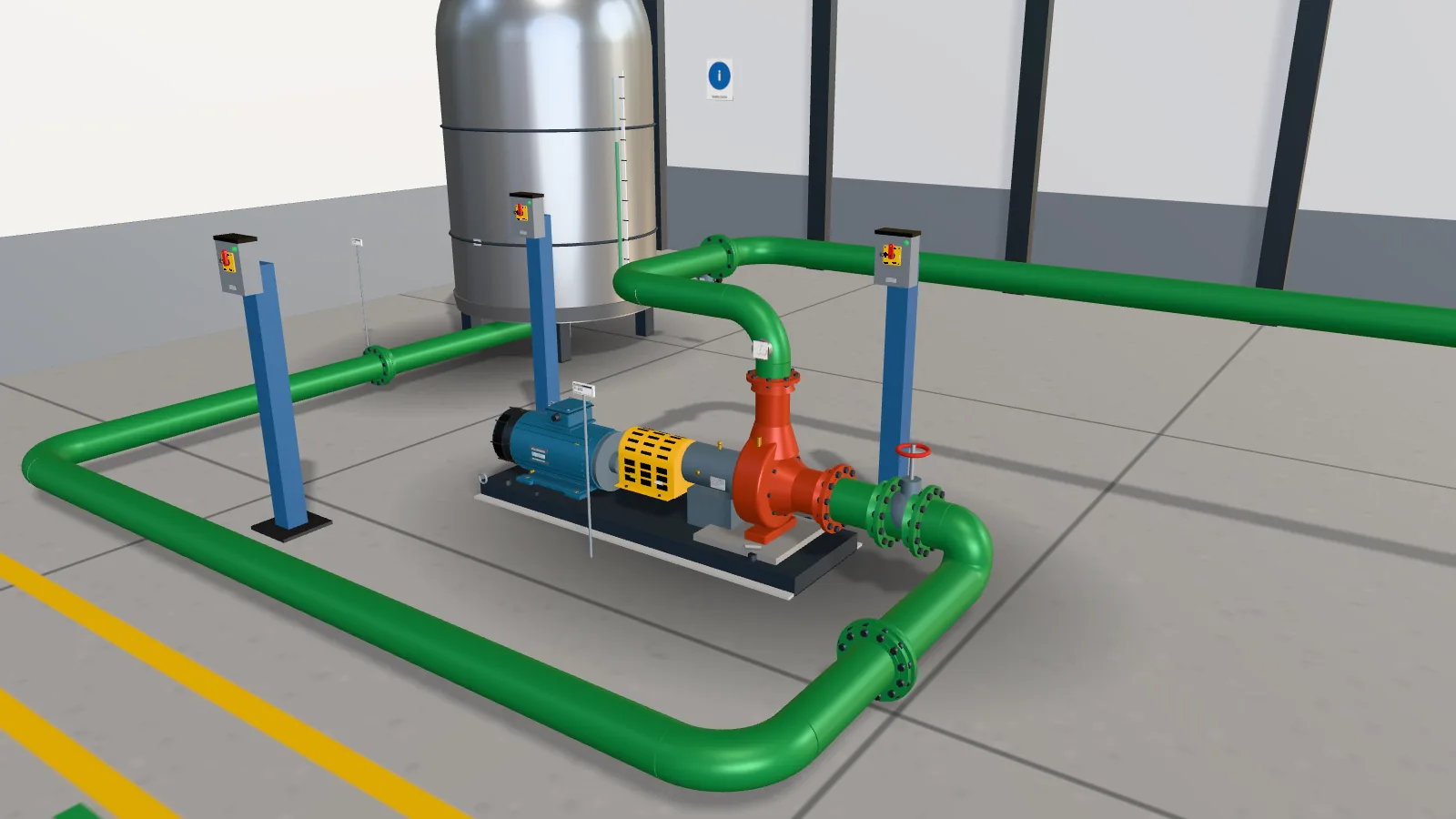
Screenshot of the Maintenance lab: the 3D process area with the transfer pump, tank and control valve

15 levels

Levels in the Maintenance lab

Start at the top, or open any level you like. Tap a title to read about it.

Foundation

Levels 1 to 2
  1. Start Your first shift
  2. Start The PM route

Intermediate

Levels 3 to 8
  1. Start Pump P-101 vibrating
  2. Start Conveyor motor tripping on overload
  3. Start Level transmitter reading wrong
  4. Start Air compressor not loading
  5. Start Air handler belt squeal
  6. Start MCC feeder hot lug

Advanced

Levels 9 to 15
  1. Start Drive overcurrent trip at start
  2. Start Motor insulation low after wash-down
  3. Start Hydraulic press slow
  4. Start Control valve hunting
  5. Start Gearbox running hot
  6. Start Pump seal leaking
  7. Start Plan the week

Ratings and reviews

What learners say

Ratings come from learners who saved work in this lab.

Ratings and reviews

No ratings yet. Save work in a level, then be the first to rate this lab.

About the Maintenance lab

Lock out the pump. Close the work order.

Maintenance is keeping a plant running: finding why a pump shakes or a conveyor trips, fixing it safely and writing down what you did. The Maintenance lab in EDWartens Lab is a free 3D plant in your browser, with the instruments a technician carries and a CMMS, the system where the work is planned and recorded.

A made-up packaging plant with a pump skid, a conveyor, a compressor, an air handler, a motor control centre and a hydraulic press. Read the work request, take the as-found readings with the same tools a technician carries, find the cause, fix it in the right order and close the job in a CMMS with the right codes and hours.

  • Measure vibration, temperature, current, insulation and alignment, and read each result against its limit
  • Permit, isolate, lock, tag, release stored energy and prove dead before any hands-on work
  • Reserve and issue parts from the stores, and book hours and codes on the work order
  • Plan a week of work from the backlog, and read MTBF, MTTR and PM compliance

Tools in this lab

  • Vibration, thermography, alignment and insulation tests
  • Permit, lock-out and prove dead before every job
  • A Wartens CMMS with work orders, parts and KPIs

The guide

What to know before you start

Short answers first. Open a card for the rest.

What the maintenance simulator does

Each job starts as a work request from a fictional packaging plant. You start the work order, make the job safe, measure before you touch anything, find the cause, fix it, test it and close the work order with the right codes and hours. An automatic acceptance test marks the result.

Read more

The equipment is generic and the company is made up, so the lab teaches the method rather than one maker's product. It is a simplified model, not a maintenance standard.

Fifteen levels, from the first shift to planning the week

The lab has fifteen levels. You tour the plant and the CMMS, walk a weekly PM route, and find why a pump vibrates with a vibration analyser. You find why a conveyor motor trips, calibrate a level transmitter, find a hot lug with a thermal camera, test a wet motor with an insulation tester and change a leaking seal.

Read more

The last level is planning only: set priorities from a matrix, order a missing part, load the crew's hours across the week and read PM compliance and backlog from the history.

Lock-out comes first

Every hands-on job needs a signed permit and a locked, tagged and proved-dead isolation, including the release of stored air, oil or process pressure. The model refuses an unsafe order, records it, and the acceptance test fails however the job ends.

Free, and part of the internships

Opening the lab, doing the levels and passing the acceptance tests are free, and you can start without an account. A free EDWartens account records your results and keeps your work on every device. The lab is in beta.

How it works

  1. Create a free EDWartens account, or sign in if you already have one.
  2. Open Your first shift and tour the plant and the CMMS.
  3. Lock out the pump and refit its guard.
  4. Measure, find the cause and fix a fault in the next levels.
  5. Close the work order, then plan a week of work.
Questions

Questions people ask.

Is there a free maintenance simulator?

Yes. The Maintenance lab in EDWartens Lab is a free 3D plant that runs in your browser. You can start without an account; a free EDWartens account records your results.

Can I practise using a CMMS online?

Yes. The lab has Wartens CMMS, a made-up system with requests, work orders, parts, a PM schedule, stores and reports. A switch shows the matching ERP plant maintenance transaction code on each screen.

Can I practise vibration analysis and thermography?

Yes. A vibration pen and analyser show the overall level and the spectrum, and a thermal camera shows the heat of the three phases of a feeder. The readings come from a hidden condition you have to find.

Does it replace training on a real plant?

No. A real plant has its own permits and procedures. The simulation is practice for the thinking and the order of the work.

Keep exploring

Other labs and guides

Updated 1 Nov 2026.

Other labs

  • PLC labProgram a working machine in ladder, Structured Text or SFC and watch it run.
  • Electrical labLock out, wire, test and fault-find a control panel, then prove it with a factory acceptance test.
  • Robotics labTeach a robot arm a pick and place job and prove its handshake with the PLC.
  • Process labRead the P&ID, check and calibrate instruments, tune loops and run a plant from a control room.
  • Substation and MCC labWalk a small substation, isolate a motor bucket safely, grade a relay and fault-find a motor control centre.
  • Solar and EV labSize a solar array, set a battery and fault-find an EV charger on a commercial site.
  • AI Basics labLearn what AI is by playing with it: teach a camera, watch a model learn, test it and check it is fair.
  • AI WorkbenchPrepare data, train a model and check the AI's work against a brief.
  • AI Data Centre labWalk an AI data hall, rack and cable a GPU server, and size its power and cooling.
  • OT security labMap a plant network, split it into zones, write the firewall rules, read the logs and run the response drill.

Start the Maintenance lab now.

Free, in your browser, with nothing to install.