
PLC simulator
Free online PLC simulator that runs in your browser
EDWartens Lab is a free PLC simulator for students, apprentices and career changers. You write a program, press run, and a simulated machine answers it: a pump fills a tank, a conveyor carries parcels, a fan starts in star and changes to delta. Nothing to download and no PLC to buy.
Open the lab freeSee the whole lab
Free with a free EDWartens account. Runs in your browser. The lab is in beta.
What the PLC simulator does
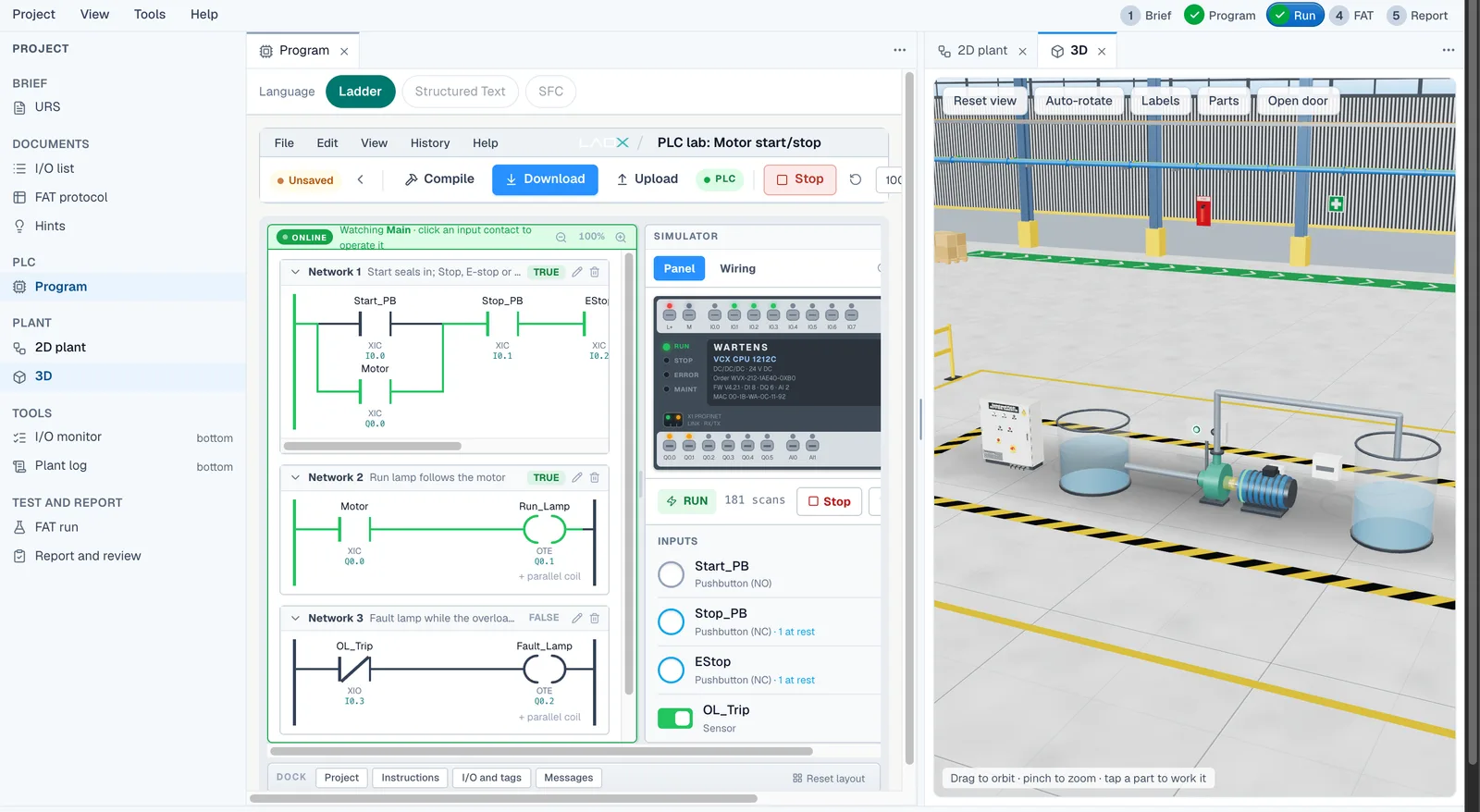
Most online PLC simulators give you a ladder editor and a few lamps. This one gives you a job. Each PLC lab opens with a client brief, an I/O list and a plant model that runs in step with your program. You write the logic, watch the rungs energise, and see the machine respond in a 3D view beside the editor.
The programming languages are the IEC 61131-3 ones: ladder logic, Structured Text and Sequential Function Chart. They sit in the same studio, so you can try the same job in more than one language. The tag addressing is Siemens-style, which is familiar if you later move to a Siemens, Allen-Bradley or CODESYS environment, although the lab does not require any of them.
Eight machines to program
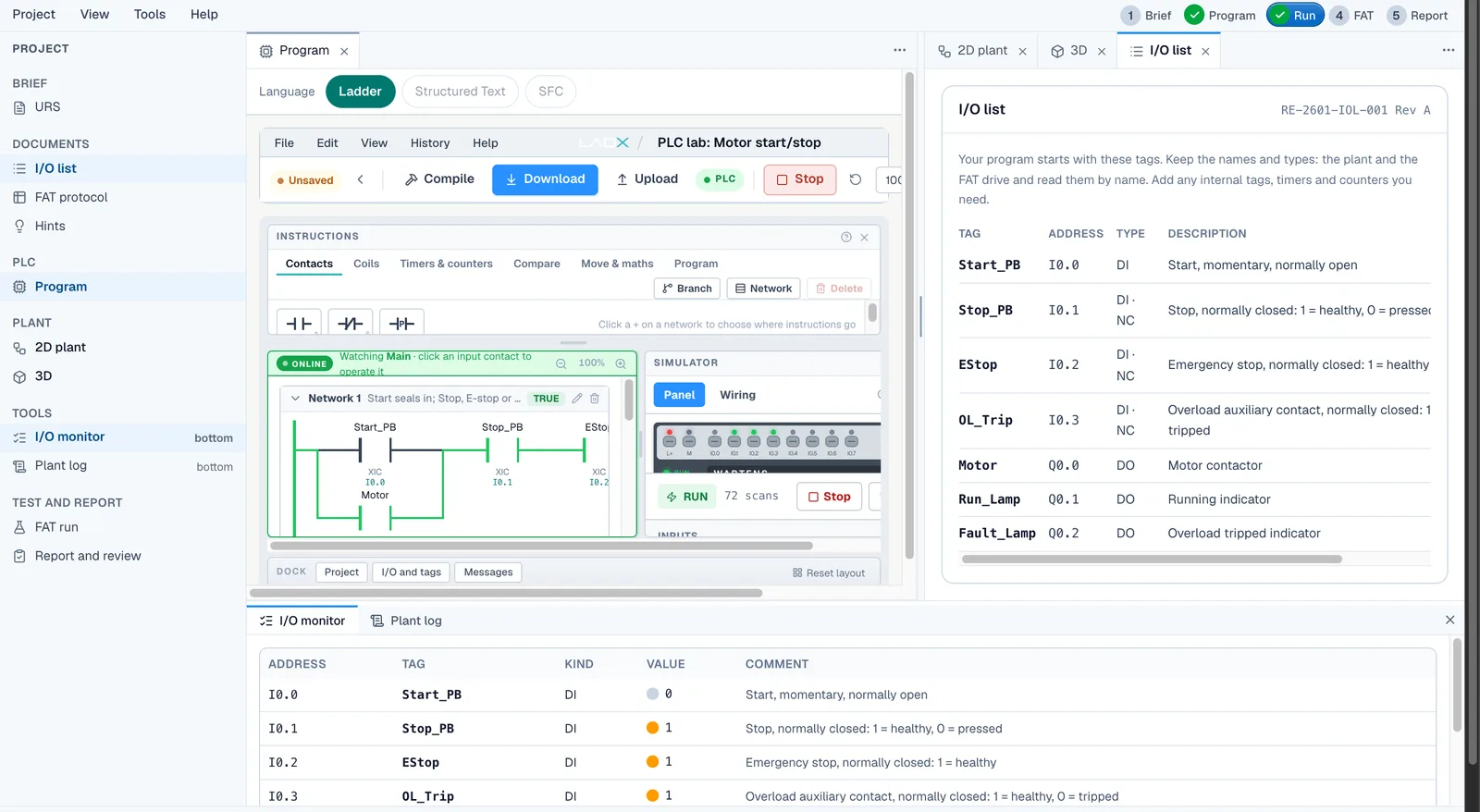
The PLC lab has eight machines, from the first program every PLC programmer writes to timed sequences and two-pump control: motor start/stop with overload, a forward/reverse conveyor, a star-delta fan starter, a batch counter on a packing line, a tank filling pump, a pedestrian crossing, a parcel sorter, and duty and standby pumps.
Each one ends in a numbered factory acceptance test (FAT) that runs automatically against your program, so you know when the machine really works and not just when the rungs look right. The numbers the tests use are drawn per learner, which stops a program that only fits one answer.
Free, with a free account
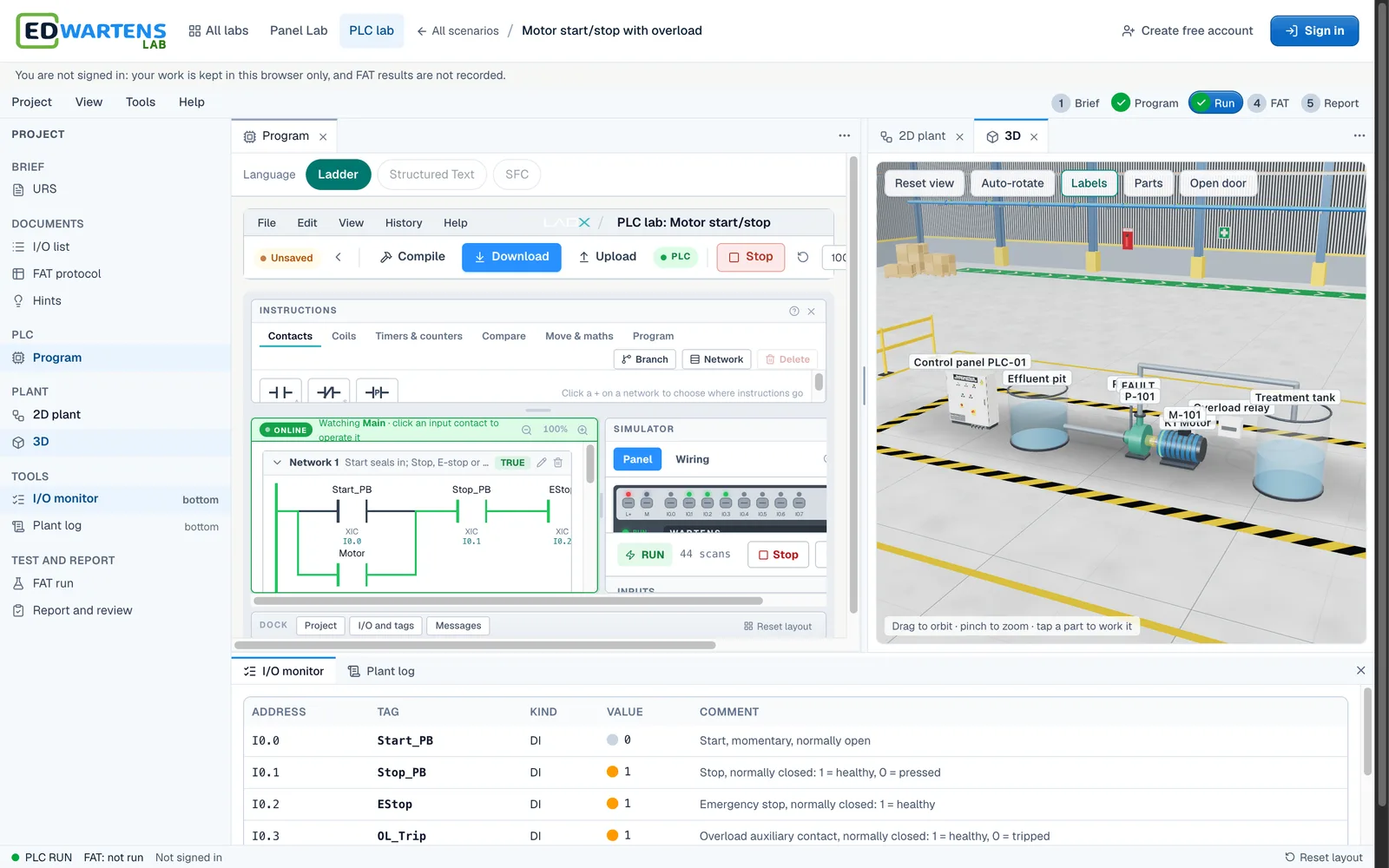
Opening the lab, programming the machines and passing the FAT are free with a free EDWartens account. Optional extras, such as an engineer review of your FAT report, are paid. The lab is in beta, so expect it to grow. It works in a desktop or mobile browser, and a laptop gives the best view of the 3D hall. Once it has loaded it also works offline.
How it compares with other ways to practise
Desktop simulators such as vendor software, CODESYS or OpenPLC are excellent once you have chosen a platform, but they need an install and they give you a blank editor. Browser tools such as PLC Fiddle are quick for a single rung. EDWartens Lab sits in between: it runs in the browser, and the practice is built around realistic plant behaviour, acceptance tests and the electrical side of the job.
How it works
- Create a free EDWartens account, or sign in if you already have one.
- Open a PLC lab from the catalogue and read the client brief and I/O list.
- Write the program in ladder, Structured Text or SFC and press run.
- Watch the plant model respond, then fix what it shows you.
- Run the factory acceptance test and download the FAT report when you pass.
Labs to open for this
- Motor start/stop with overloadPLC lab · Foundation
- Tank filling pumpPLC lab · Foundation
- Batch counter on a packing linePLC lab · Foundation
- Star-delta fan starterPLC lab · Foundation
Browse all labs (free account needed to open them).
Questions people ask
Is there a free PLC simulator online?
Yes. EDWartens Lab is a free PLC simulator that runs in your browser. You need a free EDWartens account. You can write ladder, Structured Text or SFC programs and test them on simulated machines with an automatic acceptance test.
Do I need to download anything to use a PLC simulator?
No. The lab runs entirely in a web browser, with its own PLC engine and editor. There is nothing to install, no licence key and no hardware. Once it has loaded it also keeps working offline.
Can I use a PLC simulator on a phone or Mac?
Yes, because it runs in the browser. It works in the browser on Windows, Mac and Linux computers and on phones. The ladder editor works on a phone, but a laptop gives a better view of the 3D factory hall and the panel.
Which PLC brand does the simulator copy?
None. The lab has its own PLC engine with Siemens-style addressing. The ideas you practise, such as seal-in logic, timers, counters and sequences, carry over to any brand, but the lab is not a copy of one manufacturer's software.
Related guides
- Ladder logic simulator online
- Structured Text and SFC simulator
- Virtual PLC lab for colleges and trainers
- EDWartens Lab: the free virtual PLC lab