
For colleges
A virtual PLC lab for colleges, trainers and apprentices
Trainer kits are expensive, shared and easy to break. EDWartens Lab gives every student their own PLC lab and electrical panel in a browser, free to use, with a factory acceptance test that marks the work.
Open the lab freeSee the whole lab
Free with a free EDWartens account. Runs in your browser. The lab is in beta.
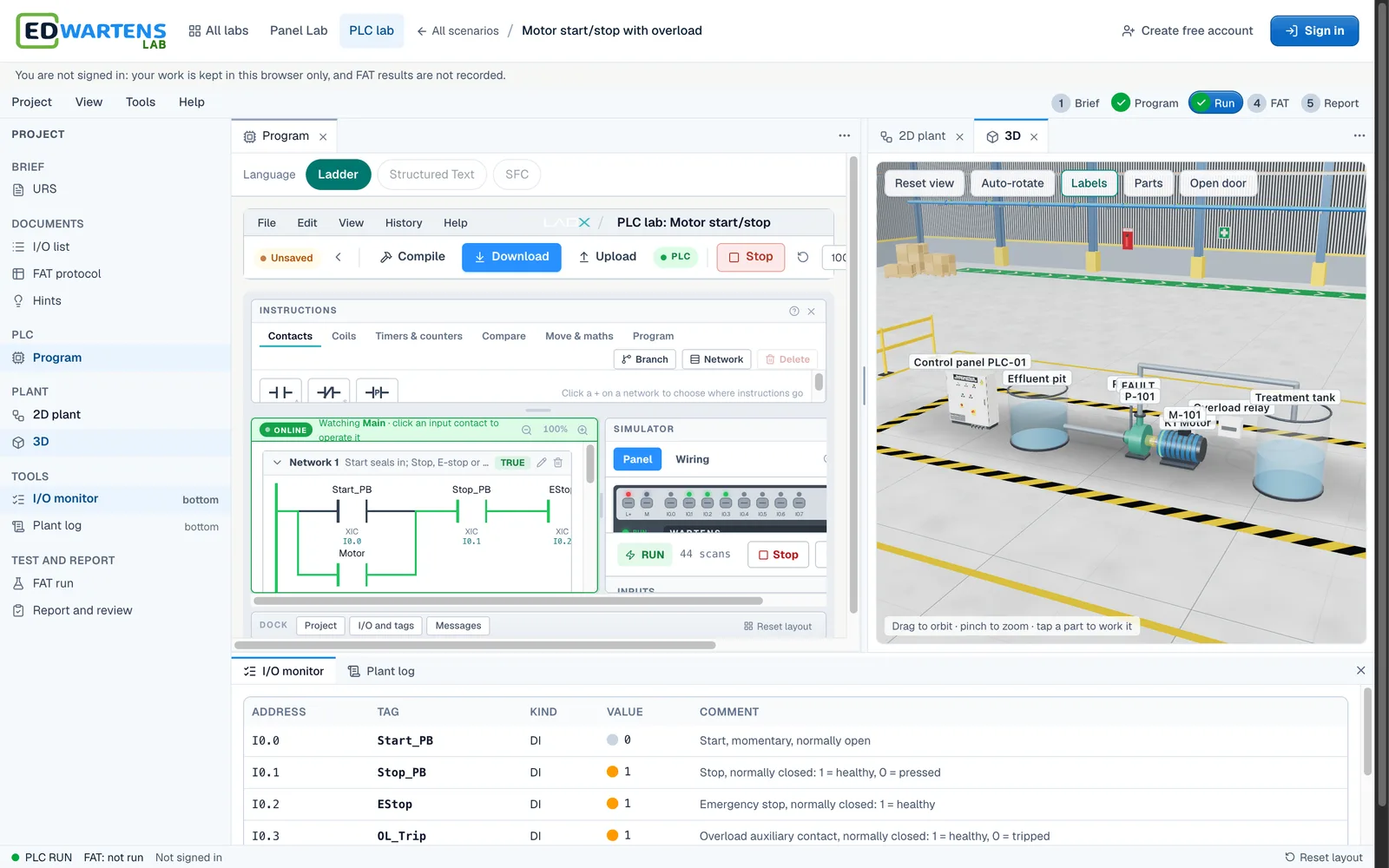
One lab per student, on any device
The lab runs in a web browser, so it works on the computers a college already has, and on students' own laptops. There is nothing to install, no licence server and no hardware to book. Students can repeat a job as often as they need, at home or in class, and the lab works offline once it has loaded.
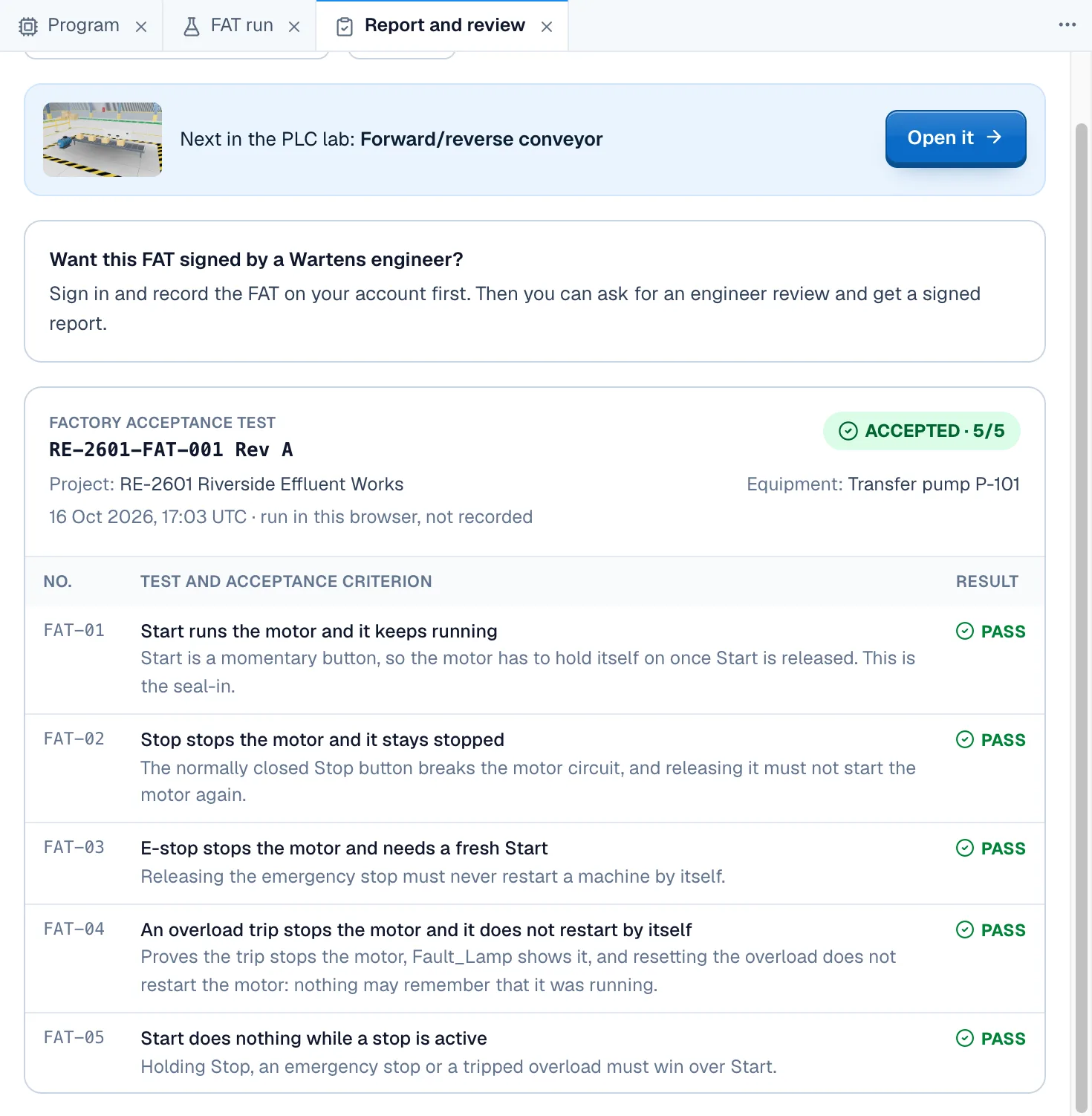
Assign work and see who has passed
Universities and trainers can assign machines and levels with due dates and see who has passed the FAT. The test is automatic and numbered, so it marks the behaviour of the program or the panel, not just whether it was submitted. Students who pass can download a FAT report.
Employers can also set an assessment that candidates open with a code, with a time limit and an attempt limit. That is useful for apprenticeship selection as well as for teaching.
What the course covers
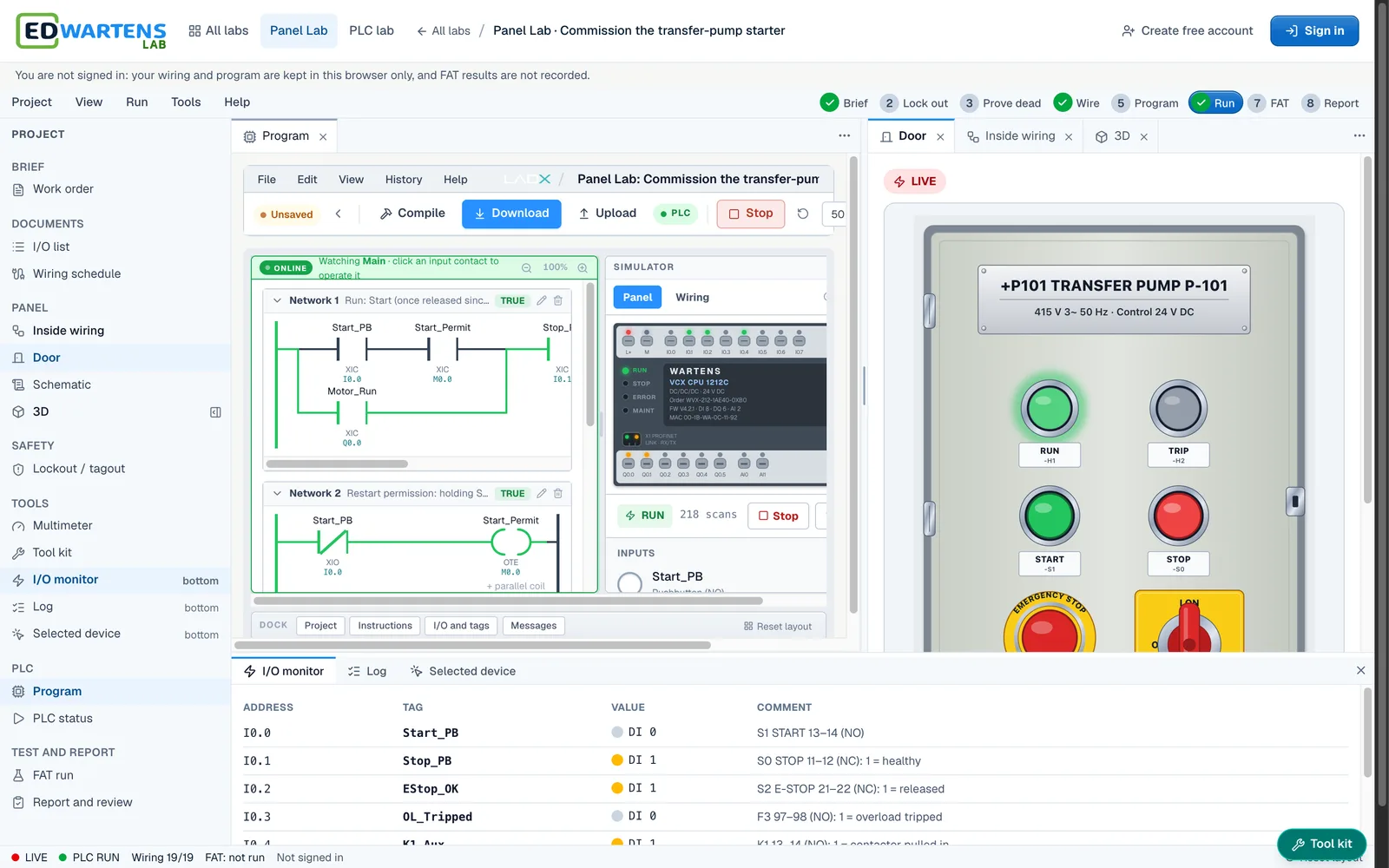
There are eight PLC machines and ten Panel Lab levels. Students program in ladder, Structured Text and SFC, and wire, test and fault-find 415 V control panels using a multimeter, a two-pole tester, a clamp meter, an insulation tester and a phase rotation indicator. Every job sits in a 3D factory hall, so students can walk round the machine and open the control cabinet.
A complement to real equipment
A simulator does not replace time on real equipment, and it is not meant to. It lets students arrive at the workshop already able to read a schematic, follow the isolation routine and write a working program, so the scarce hands-on time is spent on hands-on skills. The lab is in beta, and the companies in the briefs are fictional.
How it works
- Create a free EDWartens account and try a lab yourself.
- Choose the machines and levels that fit your course.
- Assign them with due dates through EDWartens for universities.
- Review who has passed the FAT and discuss the results in class.
Labs to open for this
- Motor start/stop with overloadPLC lab · Foundation
- Commission the transfer-pump starterPanel Lab · Commissioning
- Commission the packing cell (capstone)Panel Lab · Commissioning
Browse all labs (free account needed to open them).
Questions people ask
Is there a virtual PLC lab for universities and colleges?
Yes. EDWartens Lab is a virtual PLC and electrical panel lab that universities and trainers can assign to a class, with due dates and a view of who has passed. Students use it free in a browser.
Can a virtual PLC lab replace trainer kits?
It can replace much of the practice that does not need physical equipment, such as programming, wiring practice and fault finding. Hands-on work with real hardware is still valuable, and the simulator prepares students for it.
Do students need to install software?
No. The lab runs in a web browser on ordinary computers and on phones. Students need a free EDWartens account and an internet connection to open it, and it can work offline once loaded.
How is student work assessed?
Each machine has a numbered factory acceptance test that runs automatically on the student's program or panel. Trainers can see who has passed, and students can download a FAT report.
Related guides
- Free online PLC simulator
- Control panel wiring simulator
- Multimeter and fault-finding simulator
- EDWartens Lab: the free virtual PLC lab