AI Workbench
A machine learning lab where you train and test models in your browser
The AI Workbench in EDWartens Lab is a practice lab for machine learning and applied AI. You clean a table, train a model without letting the answer leak, run a vision inspection, write prompts, and check what an AI produced against a brief. It is free in your browser.
Open the lab freeSee the whole lab
Free with a free EDWartens account. Runs in your browser. The lab is in beta.

What the machine learning lab does
Most learners meet machine learning as a tutorial that always works. The AI Workbench gives you a work order and a messy table, and the result is marked against the brief. You prepare the data, choose a model and a metric, look at the test set once, and learn why a good score can still be wrong.
Everything runs in your browser on practice datasets. Nothing is a paid AI call, so you can repeat a level as often as you like.
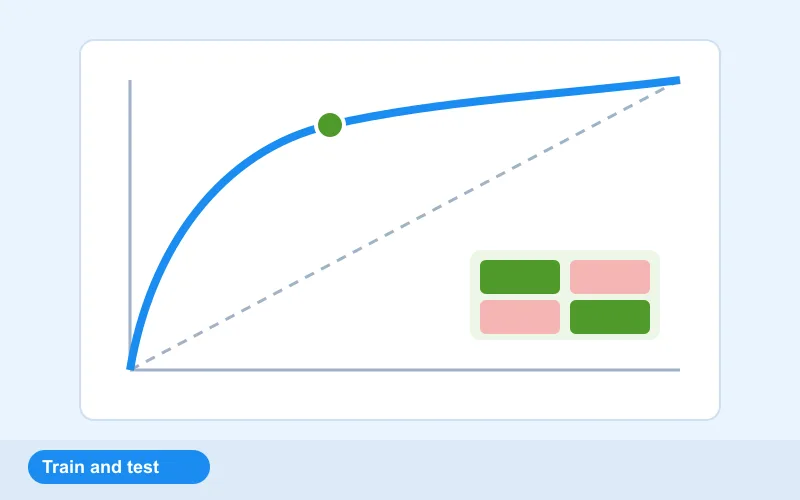
Fifteen levels, from data health to checking an AI
The lab has fifteen levels. The data levels cover blanks, copies, wild values and a column that gives the answer away. The model levels cover training and evaluating without leakage, choosing the metric and threshold for a fraud flag, and tuning a tree so that it does not overfit. There are levels for a fairness check and for privacy first.
The applied levels cover a vision inspection job on a conveyor, turning a prompt into a spec, answers with sources, and an agent that stays inside safe limits. The last five are review jobs: check the AI's work in finance, HR, marketing, healthcare and project management, find what it got wrong, and fix it.
Checking the AI is part of the skill
Employers need people who can use AI and also tell when it is wrong. The review levels hand you an AI's output and a brief, and you have to find the invented figure, the missing source or the unfair rule. The acceptance test checks your review, not your trust.
The levels use fictional companies and generated data. Nothing in them is real customer or patient data.
Free, and part of the AI internships
Opening the lab, doing the levels and passing the acceptance tests are free with a free EDWartens account. The lab is in beta. AI Workbench tasks also count inside the AI and Machine Learning, Data Science and Analytics, Generative AI, AI Agents and Computer Vision internships, and the other AI internships, on edwartens.com. The first 4 weeks of an internship are free, and continuing past 4 weeks is paid. An internship is training, not employment, and there is no stipend.
How it works
- Create a free EDWartens account, or sign in if you already have one.
- Open Data health check and clean the customer table.
- Train and evaluate a model without leakage.
- Try the vision inspection and the safe agent levels.
- Pass the check and download your report.
Labs to open for this
- Data health checkAI Workbench
- Train and evaluate without leakageAI Workbench
- Vision inspection on the conveyorAI Workbench
- A safe agentAI Workbench
Browse all labs (free account needed to open them).
Questions people ask
Can I train a machine learning model in the browser for free?
Yes. The AI Workbench in EDWartens Lab lets you prepare data, train and evaluate a model and check the result, all in your browser. You need a free EDWartens account. Nothing is installed.
Is it a paid AI service?
No. The lab runs on practice datasets in your browser and nothing is a paid AI call. You can repeat any level as often as you like.
What will I practise?
Cleaning data, training without leakage, choosing a metric and threshold, avoiding overfitting, a fairness check, privacy, a vision inspection, prompts, answers with sources, safe agents, and reviewing an AI's work.
Do I need to know how to code?
No. The levels are worked in the lab's own screens, so you can learn the ideas first. The skills carry over to code-based tools later.
Six labs in one place
- PLC labProgram a working machine in ladder, Structured Text or SFC and watch it run.
- Panel LabLock out, wire, test and fault-find a control panel, then prove it with a factory acceptance test.
- Robotics labTeach a robot arm a pick and place job and prove its handshake with the PLC.
- Process labRead the P&ID, check and calibrate instruments, tune loops and run a plant from a control room.
- AI WorkbenchPrepare data, train a model and check the AI's work against a brief.
- AI Data CentreWalk an AI data hall, rack and cable a GPU server, and size its power and cooling.
Related guides
- AI data centre simulator
- Free online PLC simulator
- Virtual PLC lab for colleges and trainers
- EDWartens Lab: six free engineering and AI labs