
Robotics lab
Industrial robot programming simulator that runs in your browser
Learn to jog, teach and run an industrial robot arm without a robot. The Robotics lab in EDWartens Lab puts you in a 3D robot cell with a teach pendant, guards and a PLC, free in your browser. Nothing to install and no robot to buy.
Open the lab freeSee the whole lab
Free with a free EDWartens account. Runs in your browser. The lab is in beta.
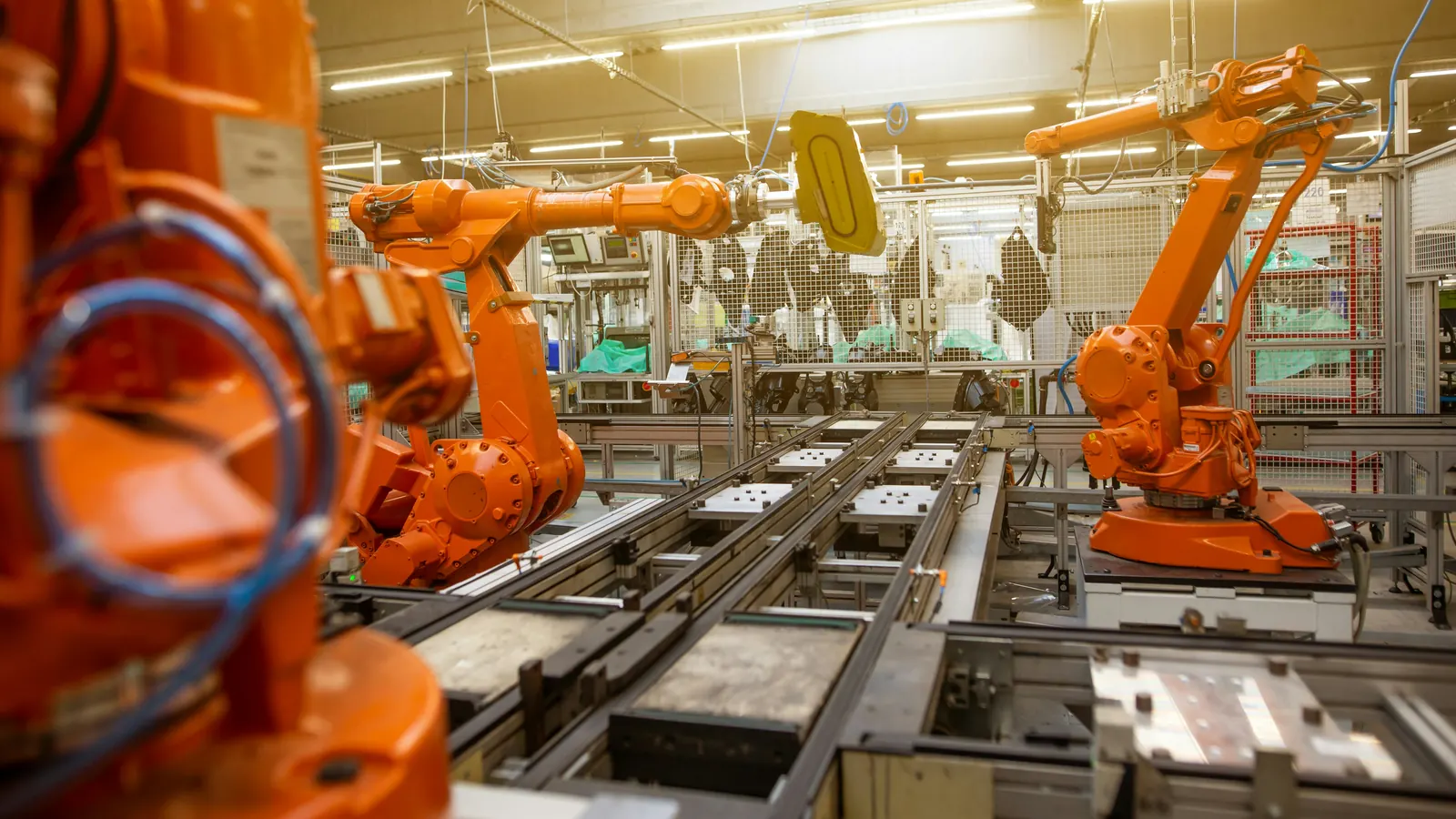
What the robot simulator does
Most robot simulators ask you to buy a licence or learn one maker's software. The Robotics lab teaches the work that every robot job shares. You jog the arm with a teach pendant in joint and linear moves, at reduced speed, with an enabling device held in. You teach home, pick and place points, build a waypoint table, run it step by step in test mode, and only then run it in automatic.
The arm and the pendant are generic. The lab is not a copy of any maker's software, so what you learn is the method: approach and retreat points, work objects, speed limits and a safe first run. That method carries over to the pendant you meet on site.
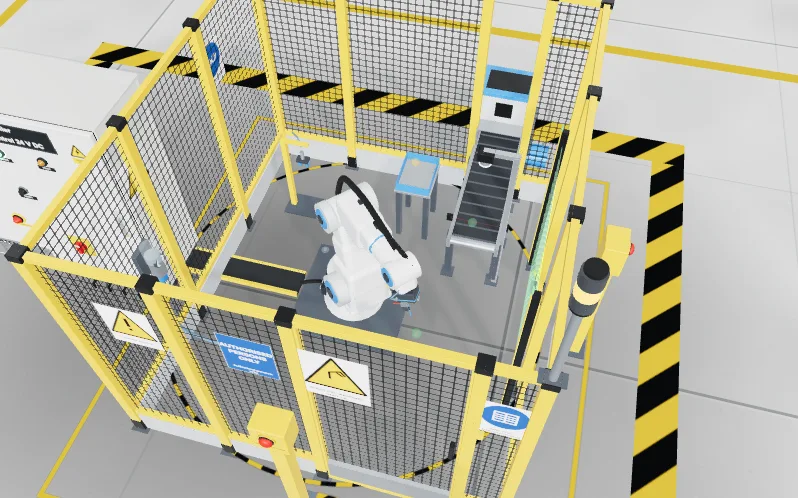
Eight robot levels, from safe start to fault finding
The lab has eight levels, each a work order from a fictional client. They start with a safe start: prove the stops work, isolate and restore power, reset and send the arm home. Then come jogging into target positions, teaching and running a program, and a pick and place job with a one millimetre accuracy limit.
The later levels are palletising, machine tending, safety validation and a fault-finding job on the cell. Every level ends in an automatic factory acceptance test, so you know when the cell really works and not only when the arm looks right.
Safety and the handshake with the PLC
A robot cell is more than an arm. It has guards, an emergency stop, a gripper and a PLC that decides when the robot may move. The lab makes you prove the stops, work inside the speed limit and test the guards, and it has you prove the handshake between the robot and the PLC, so that each side knows who is moving.
The simulation is a training aid. It does not replace the safety training, risk assessment and procedures that a real robot cell needs.
Free, and part of two internships
Opening the lab, doing the levels and passing the acceptance tests are free with a free EDWartens account. The lab is in beta. Robotics lab tasks also count inside the PLC Programming and the Commissioning and Maintenance internships on edwartens.com. The first 4 weeks of an internship are free, and continuing past 4 weeks is paid. An internship is training, not employment, and there is no stipend.
How it works
- Create a free EDWartens account, or sign in if you already have one.
- Open the Safe start level and read the work order.
- Prove the stops, then jog the arm in reduced speed.
- Teach the points, run the waypoint table step by step and then in automatic.
- Run the factory acceptance test and download your report when you pass.
Labs to open for this
- Safe startRobotics lab
- JogRobotics lab
- Teach and runRobotics lab
- Safety validationRobotics lab
Browse all labs (free account needed to open them).
Questions people ask
Is there a free robot programming simulator?
Yes. The Robotics lab in EDWartens Lab is a free industrial robot programming simulator that runs in your browser. You need a free EDWartens account. You jog, teach and run a robot arm in a 3D cell and pass an automatic acceptance test.
Do I need a robot or any robot software?
No. The lab has its own generic arm and teach pendant. There is nothing to install and no licence. It is not a copy of one maker's software, so what you learn is the method that carries over to the pendants you meet at work.
Can I practise a PLC and robot handshake online?
Yes. The lab includes a gripper handshake in the pick and place level and has you prove the handshake between the robot and the PLC before the cell runs on its own.
Is it safe to practise robot jogging here?
It is a simulation, so nothing you do can hurt you. It teaches the real routine: prove the stops, use the enabling device, jog at reduced speed and stay clear of the arm. It does not replace the training that a real robot cell requires.
Six labs in one place
- PLC labProgram a working machine in ladder, Structured Text or SFC and watch it run.
- Panel LabLock out, wire, test and fault-find a control panel, then prove it with a factory acceptance test.
- Robotics labTeach a robot arm a pick and place job and prove its handshake with the PLC.
- Process labRead the P&ID, check and calibrate instruments, tune loops and run a plant from a control room.
- AI WorkbenchPrepare data, train a model and check the AI's work against a brief.
- AI Data CentreWalk an AI data hall, rack and cable a GPU server, and size its power and cooling.
Related guides
- Free online PLC simulator
- Motor starter simulator (DOL, star-delta, reversing)
- Virtual PLC lab for colleges and trainers
- EDWartens Lab: six free engineering and AI labs