

PLC simulator
Free online PLC simulator that runs in your browser
PLC lab is a free lab that runs in your browser, with 19 levels you can open one at a time. Program a working machine in ladder, Structured Text or SFC and watch it run.
- 19 levels
- About 20 hours 5 minutes in all
- Foundation to Intermediate
- Free · runs in your browser
- Updated 18 Oct 2026
Free to open. Your work is saved on this device; a free account keeps it everywhere. The lab is in beta.
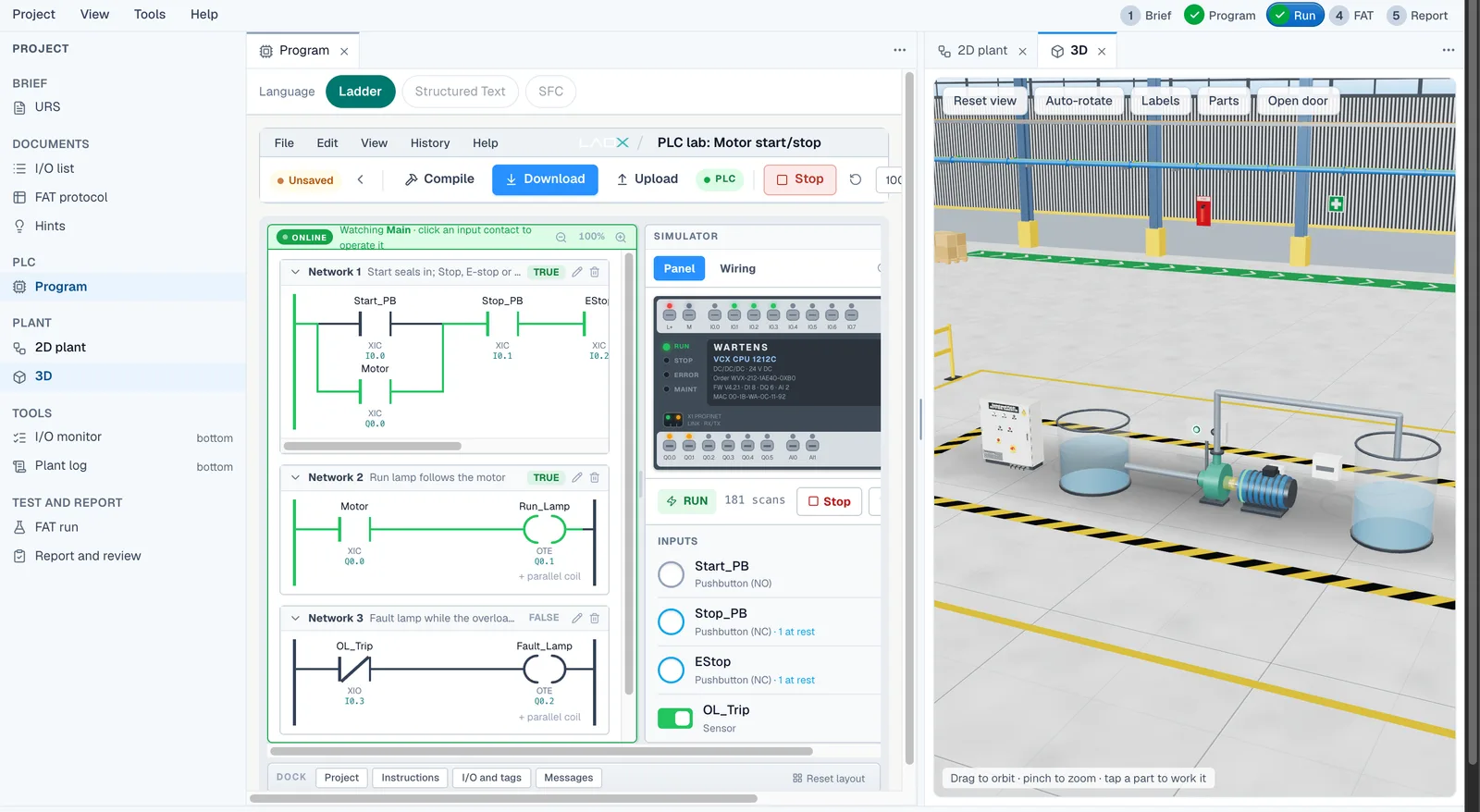
See it work
Build a ladder rung in the PLC lab
Dropping a contact onto a rung in the ladder editor of the PLC lab.
Go online and watch power flow
Going online with a ladder program: the rungs turn green as power flows, and an input is forced.
Force an input and watch the machine
Forcing a PLC input in the lab and seeing the 3D machine respond.
Walkthrough
Levels in the PLC lab
- Level 1: Motor start/stop with overloadStart Motor start/stop with overload
Start, seal-in, stop, E-stop and an overload that trips. The first thing every PLC programmer builds.
- Level 2: Forward/reverse conveyorStart Forward/reverse conveyor
Two contactors that must never close together, and a dead time before the motor may reverse.
- Level 3: Star-delta fan starterStart Star-delta fan starter
Start in star, change over to delta through a dead gap, and watch the starting current.
- Level 4: Batch counter on a packing lineStart Batch counter on a packing line
Count boxes past a photo-eye once each, stop at the batch size, and survive a backed-up line.
- Level 5: Tank filling pumpStart Tank filling pump
Fill between two floats, protect the pump from running dry, and latch a high-high alarm.
- Level 6: Pedestrian crossingStart Pedestrian crossing
A timed sequence with a push button, where one wrong light puts somebody in danger.
- Level 7: Parcel sorterStart Parcel sorter
Read the lane at the beam, wait for the parcel to travel, and fire the pusher at the right moment.
- Level 8: Duty and standby pumpsStart Duty and standby pumps
Share the work between two pumps and take over within seconds when one trips.
- Level 9: Scale the tank levelStart Scale the tank level
Turn raw 4-20 mA counts into a level, pick set points from a recipe, run the pump, and tell a broken wire from an empty tank.
- Level 10: Conveyor jam detectionStart Conveyor jam detection
Three belts in a row. Start them in order, spot a jam with a timer, stop the jammed belt and the ones feeding it, and never restart by itself.
- Level 11: Reusable motor block: four motorsStart Reusable motor block: four motors
Write one motor routine with a seal-in, an overload and a contactor feedback check, then copy it for four fans that never disturb each other.
- Level 12: Filling sequenceStart Filling sequence
Fill, settle and discharge a vessel in order with a step number, run the valves by hand within their limits, and stop a fill that takes too long.
- Level 13: Packaging line driveStart Packaging line drive
Run a variable-speed belt drive: a speed set point from the pot between two limits, drive faults, a stall check and an at-speed lamp.
- Level 14: Safety gate interlockStart Safety gate interlock
A guarded press that stops the moment its gate opens and never restarts by itself: a fresh Reset, then a fresh Start. Standard logic practice, not a safety function.
- Level 15: Air handling unit temperature controlStart Air handling unit temperature control
Hold the supply air near a set point with a proportional heating valve and a dead band, prove the airflow first, and protect the coil from frost.
- Level 16: Palletiser sequenceStart Palletiser sequence
Count cartons into layers, push each layer onto the pallet, lower the pallet one step, and stop with a lamp when the pallet is full.
- Level 17: Batch mixer with recipesStart Batch mixer with recipes
Pick a recipe with two selector bits, then fill, mix and discharge a tank to that recipe, with the recipe locked and a hardwired high-high abort.
- Level 18: Bottling line: fill, cap, rejectStart Bottling line: fill, cap, reject
Stop each bottle at the filler, fill it for a set time, check it has a cap, reject the ones that do not, and stop the line when the batch is done.
- Level 19: Fault-finding challengeStart Fault-finding challenge
A colleague's pump program is already loaded. It runs, it looks right, and it fails six tests. Find the faults and fix them.
All 19 PLC programming exercises on one page: what each one teaches and how the marking works.
Program the machine. Watch it run.
EDWartens Lab is a free PLC simulator for students, apprentices and career changers. You write a program, press run, and a simulated machine answers it: a pump fills a tank, a conveyor carries parcels, a fan starts in star and changes to delta. Nothing to download and no PLC to buy.
Every PLC job starts with a client brief and an I/O list. Write the logic, press Simulate and a plant answers: a pump fills a tank, a conveyor carries parcels, a fan starts in star and changes to delta.
- Ladder, Structured Text and Sequential Function Chart, the IEC 61131-3 languages, in one studio
- Energised rungs turn green as the program scans, so you see why a rung is true or false
- An I/O list and tag table with Siemens-style addresses, so the skills carry over
- Numbered tests run against your program, with numbers drawn per learner
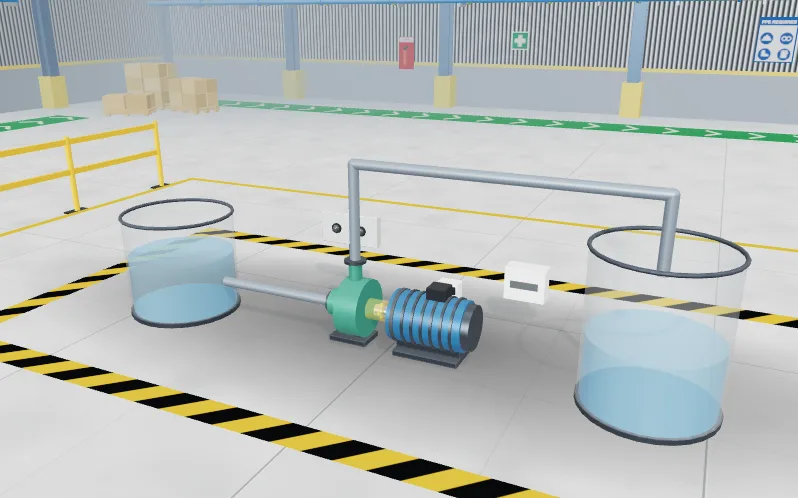
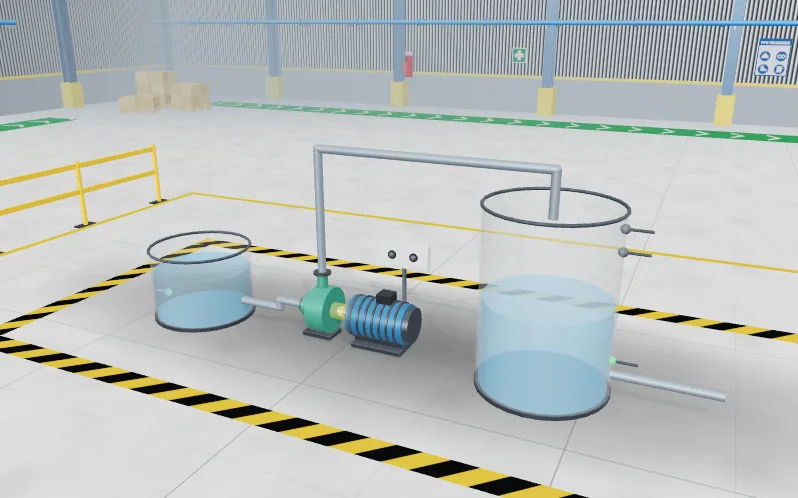
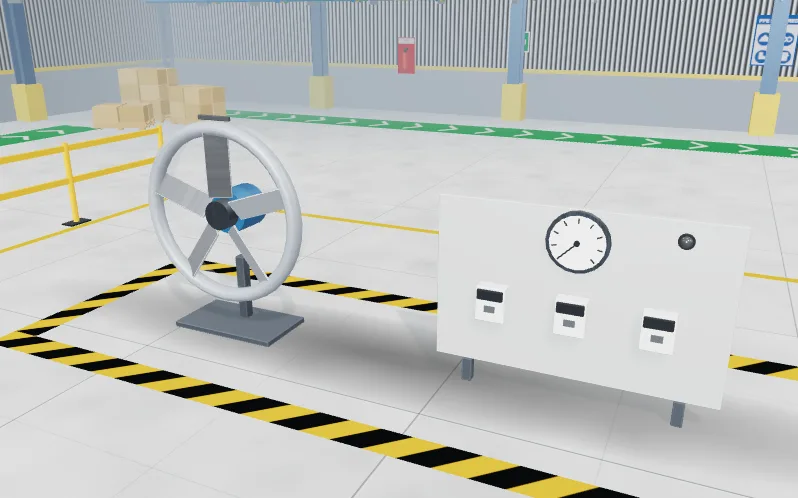
Tools in this lab
- Ladder, Structured Text and SFC in one studio
- A plant that answers: motors, tanks, conveyors
- Numbered tests mark your program
Where it leads
Used in these job simulations
Feeds these internships
Trains you for
PLC programmer, Controls engineer.
Job simulations and internships are training, not employment.
Ratings and reviews
No ratings yet. Save work in a level, then be the first to rate this lab.
Ratings come from learners who saved work in this lab.
What the PLC simulator does
Most online PLC simulators give you a ladder editor and a few lamps. This one gives you a job. Each PLC lab opens with a client brief, an I/O list and a plant model that runs in step with your program. You write the logic, watch the rungs energise, and see the machine respond in a 3D view beside the editor.
The programming languages are the IEC 61131-3 ones: ladder logic, Structured Text and Sequential Function Chart. They sit in the same studio, so you can try the same job in more than one language. The tag addressing is Siemens-style, which is familiar if you later move to a Siemens, Allen-Bradley or CODESYS environment, although the lab does not require any of them.
Nineteen machines to program
The PLC lab has nineteen machines, from the first program every PLC programmer writes to timed sequences, two-pump control, analog signals, recipes and fault finding. The first nine are motor start/stop with overload, a forward/reverse conveyor, a star-delta fan starter, a batch counter on a packing line, a tank filling pump, a pedestrian crossing (a traffic light PLC program), a parcel sorter, duty and standby pumps, and a tank level scaled from a 4-20 mA transmitter.
The next ten are conveyor jam detection, a reusable motor block, a filling sequence, a packaging line drive, a safety gate interlock, an air handling unit temperature loop, a palletiser, a batch mixer with recipes, a bottling line, and a fault-finding challenge in which a colleague's program fails six tests. All nineteen are listed in order, with what each one teaches, on the PLC programming exercises page.
Each one ends in a numbered factory acceptance test (FAT) that runs automatically against your program, so you know when the machine really works and not just when the rungs look right. The numbers the tests use are drawn per learner, which stops a program that only fits one answer.
Free, with a free account
Opening the lab, programming the machines and passing the FAT are free, and you can start without an account. A free EDWartens account records your results and keeps your work on every device. Optional extras, such as an engineer review of your FAT report, are paid. The lab is in beta, so expect it to grow. It works in a desktop or mobile browser, and a laptop gives the best view of the 3D hall. Once it has loaded it also works offline.
How it compares with other ways to practise
Desktop simulators such as vendor software, CODESYS or OpenPLC are excellent once you have chosen a platform, but they need an install and they give you a blank editor. Browser tools such as PLC Fiddle are quick for a single rung. EDWartens Lab sits in between: it runs in the browser, and the practice is built around realistic plant behaviour, acceptance tests and the electrical side of the job.
How it works
- Create a free EDWartens account, or sign in if you already have one.
- Open a PLC lab from the catalogue and read the client brief and I/O list.
- Write the program in ladder, Structured Text or SFC and press run.
- Watch the plant model respond, then fix what it shows you.
- Run the factory acceptance test and download the FAT report when you pass.
Questions people ask
Is there a free PLC simulator online?
Yes. EDWartens Lab is a free PLC simulator that runs in your browser. You can start without an account; a free EDWartens account records your results. You can write ladder, Structured Text or SFC programs and test them on simulated machines with an automatic acceptance test.
Do I need to download anything to use a PLC simulator?
No. The lab runs entirely in a web browser, with its own PLC engine and editor. There is nothing to install, no licence key and no hardware. Once it has loaded it also keeps working offline.
Can I use a PLC simulator on a phone or Mac?
Yes, because it runs in the browser. It works in the browser on Windows, Mac and Linux computers and on phones. The ladder editor works on a phone, but a laptop gives a better view of the 3D factory hall and the panel.
Which PLC brand does the simulator copy?
None. The lab has its own PLC engine with Siemens-style addressing. The ideas you practise, such as seal-in logic, timers, counters and sequences, carry over to any brand, but the lab is not a copy of one manufacturer's software.
Other labs
- Panel LabLock out, wire, test and fault-find a control panel, then prove it with a factory acceptance test.
- Robotics labTeach a robot arm a pick and place job and prove its handshake with the PLC.
- Process labRead the P&ID, check and calibrate instruments, tune loops and run a plant from a control room.
- AI WorkbenchPrepare data, train a model and check the AI's work against a brief.
- AI Data CentreWalk an AI data hall, rack and cable a GPU server, and size its power and cooling.
- Substation and MCC labWalk a small substation, isolate a motor bucket safely, grade a relay and fault-find a motor control centre.
- Solar and EV labSize a solar array, set a battery and fault-find an EV charger on a commercial site.
- OT security labMap a plant network, split it into zones, write the firewall rules, read the logs and run the response drill.
Related guides
- Ladder logic simulator online
- Structured Text and SFC simulator
- Virtual PLC lab for colleges and trainers