

PLC lab · Level 6 of 8
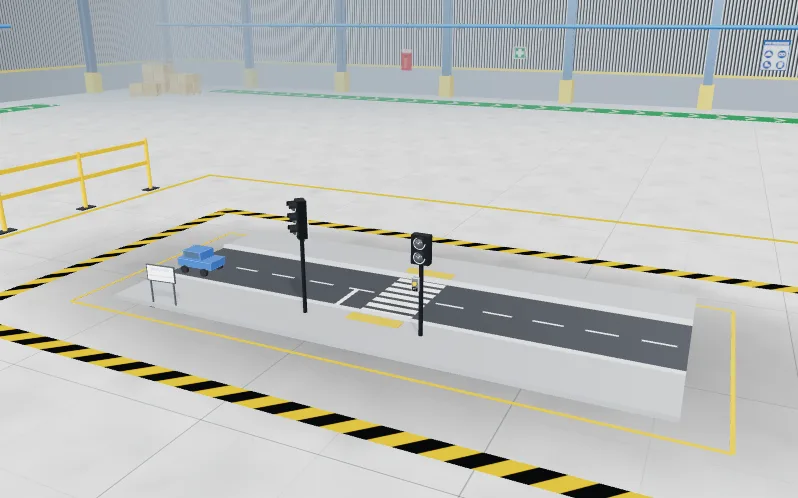
Pedestrian crossing
Level 6 of 8 in the PLC lab: a free PLC exercise at Intermediate level, which takes about 1 hour 15 minutes. A timed sequence with a push button, where one wrong light puts somebody in danger.
Free · no download · about 1 hour 15 minutes. Your work is saved on this device. Updated 18 Oct 2026.
The brief
- Client
- Millbrook Council
- Site
- School Road crossing
- Work order
- MC-2606
- Industry
- Traffic and civil
- Task code
- PLC-06
- Difficulty
- Intermediate
- Type of work
- Programming
Run a push-button crossing through amber, walk and clearance on timers, never showing Walk to pedestrians while cars can move, and ignoring presses during the cycle.
What you do
- Read the client brief and the tag table: 6 tags, 1 inputs and 5 outputs.
- Write the logic in ladder, Structured Text or SFC.
- Press Simulate and watch the plant answer your program.
- Run the factory acceptance test and fix what fails.
Skills you practise
- Sequential control with timers
- One-shot (ONS) edge detection
- Safety interlocking of outputs
- State thinking
What the test checks
The factory acceptance test runs 5 numbered tests against your program. The numbers in the brief are drawn per learner. The tests are:
- Cars keep green until somebody presses
- A press runs the whole cycle with the right times
- Presses during the cycle are ignored
- Holding the button runs one cycle only
- The crossing is ready for the next pedestrian
In this lab
- Ladder, Structured Text and SFC in one studio
- A plant that answers: motors, tanks, conveyors
- Numbered tests mark your program
Levels in the PLC lab
Part of the PLC lab
Program a working machine in ladder, Structured Text or SFC and watch it run.
Feeds these internships: PLC Programming.