Skip to content
BETAThe lab is free and in beta. Found something wrong?

Process lab

PID tuning, 4 to 20 mA loop and calibration simulator for your browser

Read the P&ID, check and calibrate instruments, tune loops and run a plant from a control room.

0 of 10 levels done

  • Free
  • About 8 hours
  • Foundation to Advanced
  • 190 learners

Free to open. Your work is saved on this device; a free account keeps it everywhere. The lab is in beta.

10 levels

Levels in the Process lab

Start at the top, or open any level you like. Tap a title to read about it.

  1. Start Read the P&ID
  2. Start Loop check
  3. Start Calibrate a pressure transmitter
  4. Start Tune the level loop
  5. Start Flow loop and control valve
  6. Start Alarm rationalisation
  7. Start Build an operator screen
  8. Start Site acceptance and fault finding
  9. Start Plant data to the dashboard: Modbus, OPC UA and MQTT
  10. Start Connect the panel to the PLC

Walkthrough

Watch the full walkthrough

Voiced, with chapters. It loads when you press play.

Process lab walkthrough: loops, calibration, tuning. Playing this video loads YouTube.

Equipment in this lab

Equipment in the Process lab

51 real things to look at. 35 open up to show what is behind the cover, and 22 pull apart piece by piece.

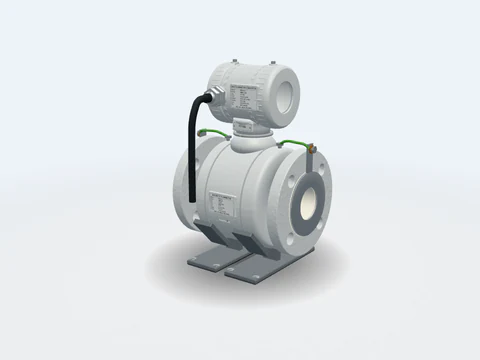
  • Magnetic flowmeter in the Process lab, shown in 3DMagnetic flowmeterMeasures the flow of a conductive liquid from the voltage it makes in a magnetic field.Opens
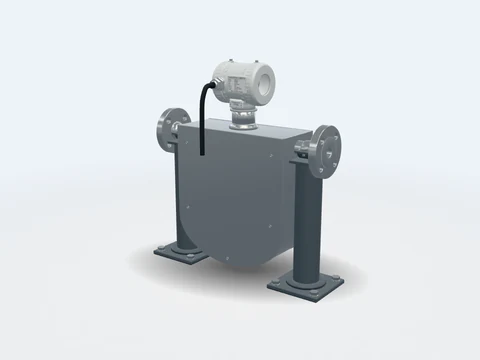
  • Coriolis mass flowmeter in the Process lab, shown in 3DCoriolis mass flowmeterVibrating tubes twist in proportion to the mass flow.Opens
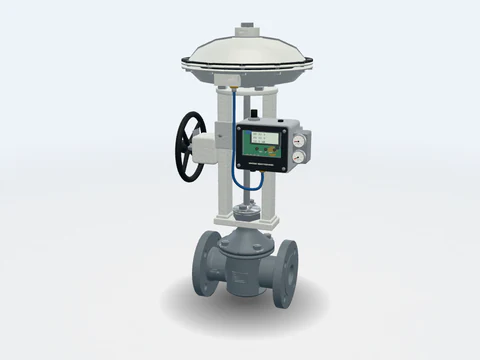
  • Control valve in the Process lab, shown in 3DControl valveA valve that opens by the amount the controller asks for, and shuts if the air is lost.OpensPulls apart
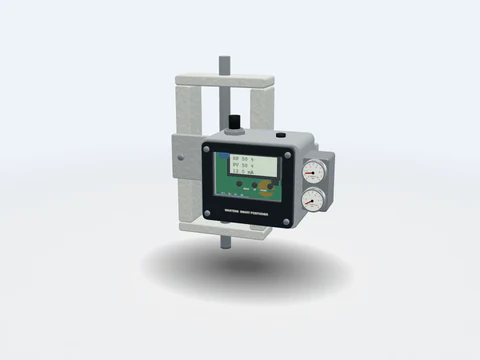
  • Valve positioner in the Process lab, shown in 3DValve positionerSets the air on a valve actuator until the stem is where the 4 to 20 mA signal says.OpensPulls apart
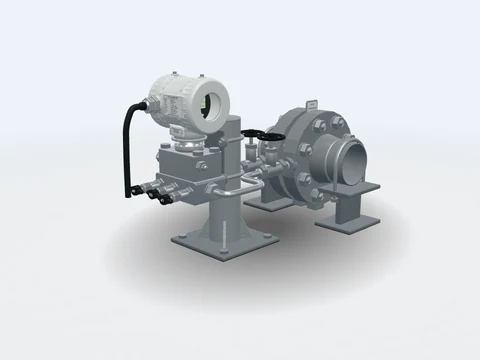
  • Differential pressure transmitter in the Process lab, shown in 3DDifferential pressure transmitterMeasures the pressure drop across the orifice plate and gives the flow.Opens
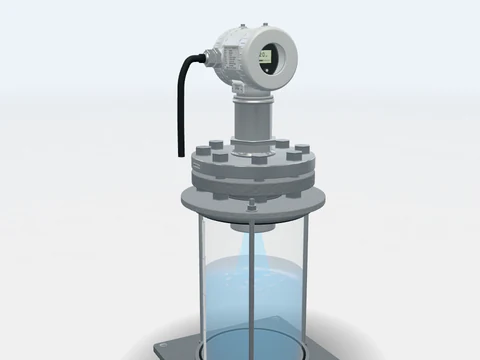
  • Radar level transmitter in the Process lab, shown in 3DRadar level transmitterBounces a radio beam off the liquid to find the level, without touching it.Opens
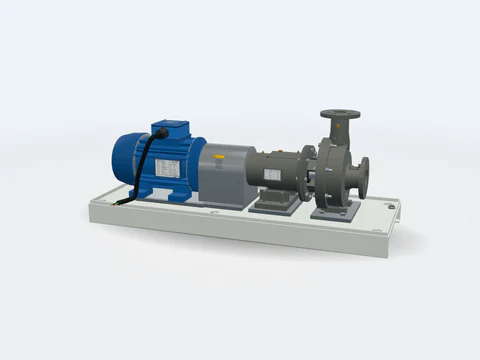
  • End-suction centrifugal pump in the Process lab, shown in 3DEnd-suction centrifugal pumpSpins an impeller to push liquid from the suction to the discharge.OpensPulls apart
  • RTD (Pt100) with head and thermowell in the Process lab, shown in 3DRTD (Pt100) with head and thermowellA platinum probe whose resistance rises with temperature.OpensPulls apart
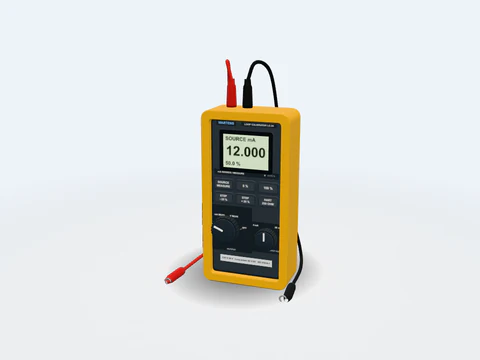
  • Loop calibrator in the Process lab, shown in 3DLoop calibratorSources or measures 4 to 20 mA so you can test a loop.Opens
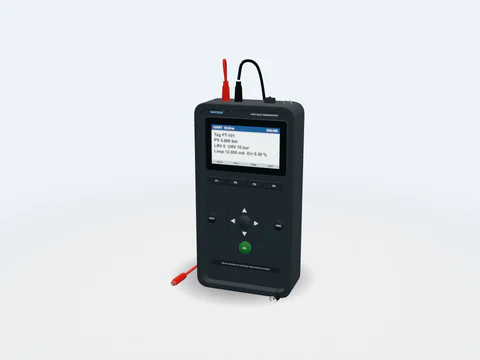
  • HART communicator in the Process lab, shown in 3DHART communicatorA handheld that talks to a smart transmitter over its loop wires.Opens
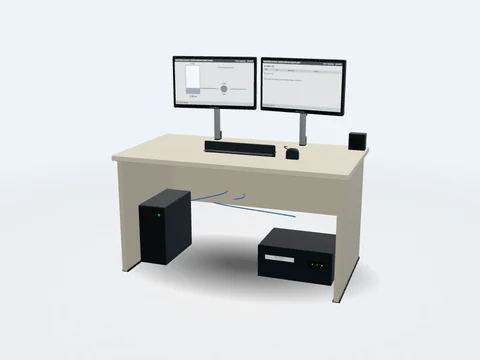
  • SCADA workstation in the Process lab, shown in 3DSCADA workstationThe operator's desk with the screens that show and run the plant.

and 40 more in the library.

Open the lab with its equipment library

Ratings and reviews

What learners say

Ratings come from learners who saved work in this lab.

Ratings and reviews

4.0
15 ratings
59
43
30
20
13
  • Daniel J. · Passed 1 level · 23 Nov 2026
    EDWartens team

    Thank you, Daniel. P&ID reading is a skill you will use on every process job, and passing the first level means the tag letters are starting to make sense.

  • Oluwatoba T. · Passed 1 level · 14 Nov 2026
    EDWartens team

    Thanks, Oluwatoba. Clicking the right instrument every time on a dairy skid drawing is good practice for the real thing. Well done.

  • MBREH B. · Passed 1 level · 10 Nov 2026
    EDWartens team

    Thank you, Mbreh, and congratulations on passing Read the P&ID. The loop check level follows one of those instruments from the field to the PLC.

  • Good practice for engineers. It would be helpful if the PID is clear and equipment descriptions are provided

    Vikram S. · Passed 1 level · 9 Nov 2026
    EDWartens team

    Thank you, Vikram, that is helpful. When you tap a symbol on the P&ID, its card names the equipment and reads the tag letters for you, and the zoom buttons make the drawing larger. We take the point that the drawing itself could be clearer, and we will look at both the drawing and the descriptions.

  • Hassaine I. · Worked on 5 levels · 7 Nov 2026
    EDWartens team

    Thanks, Hassaine. Five levels into the Process lab is a good run of instrument and loop work.

  • Michée L. · Worked on 1 level · 5 Nov 2026
    EDWartens team

    Thank you for trying the Process lab, Michée, and sorry the P&ID level was not right for you. If the drawing or the questions were the problem, Report a bug in the lab helps us find out.

  • Excelente

    PIERRE R. · Worked on 5 levels · 4 Nov 2026
    EDWartens team

    Thank you, Pierre, we are glad you enjoyed it. The flow loop with its control valve is one of the harder Process lab levels, and working through five levels shows real commitment to learning process control.

  • give simple explanation before start

    NIYIBIZI T. · Worked on 1 level · 1 Nov 2026
    EDWartens team

    Thank you, Niyibizi, that is a fair request. The brief explains that the first letter of a tag is what is measured and the letters after it say what the instrument does, and the Help panel has a Start here tab, but neither is as simple or as early as it should be on a first visit. We will look at a plainer introduction before the first question.

  • A learner · Passed 1 level · 31 Oct 2026
    EDWartens team

    Thank you for the five stars. Passing Read the P&ID shows you can find your way round a process drawing by its tags.

  • I will have given a five star rating but I am still trying to figure out how the 3D works

    Yaasir A. · Passed 1 level · 30 Oct 2026
    EDWartens team

    Thank you, Yaasir, and well done on passing the loop check while the 3D view was still new. Drag to look around the plant, and the Walk around button moves the camera to each part in turn. The Start here tab in the Help panel explains the Plant, Desk, Equipment and Tasks views too. If something in 3D still does not behave, Report a bug in the lab tells us where.

Sign in free and save work in a level to add your own rating.

About the Process lab

Run the plant from the control room.

Process control is learned by tuning a real-looking loop and finding a real-looking fault. The Process lab in EDWartens Lab gives you a water skid with a control room behind it, free in your browser. Read the drawing, check the loop, calibrate the transmitter, tune the controller and run the plant.

A water skid with a control room behind it. Read the drawing, check a 4 to 20 mA loop, calibrate a transmitter, tune a level loop, set the alarms and build the operator screen, then run the site acceptance test.

  • Read ISA-5.1 tags on a P&ID and click the right instrument
  • Loop check a 4 to 20 mA signal with a meter and fill in the loop sheet
  • A calibration bench with as-found and as-left readings, and a certificate
  • PID tuning, control valve fail positions, alarm rationalisation and an operator overview

Tools in this lab

  • P&ID, loop check and calibration bench
  • PID tuning with step tests
  • Alarms and an operator screen

The guide

What to know before you start

Short answers first. Open a card for the rest.

What the process control simulator does

Each job is a work order on a fictional site. You work on one skid with a level loop, a flow loop with a control valve, a pressure transmitter and a control room. The tools behave like the real ones: a loop-powered signal that reads 4 to 20 mA, a calibration bench with a reference, a step test you run on the tank, and trends that move as the process moves.

Read more

The Process lab sits beside the PLC and Electrical labs. It uses the same work orders, the same 3D style and the same automatic acceptance test, so process work and electrical work practise together.

Ten jobs on one skid

The lab has ten levels. You read the P&ID of the skid and click the right instrument every time. You loop check a 4 to 20 mA level loop from the field to the PLC, find the wiring fault with a meter and fill in the loop check sheet. You calibrate a pressure transmitter with a five-point as-found run, adjust zero and span, prove it as-left and issue the certificate.

Read more

Then you tune the level loop and a fast flow loop, stroke-test a control valve and set the controller action to match its fail position, rationalise the alarms of twelve tags, build an operator overview screen, and run a site acceptance test and fault finding on the finished skid. Two more levels connect the skid: set up an edge gateway that reads the PLC over Modbus and OPC UA and publishes to an MQTT broker, and bind a touch panel to the PLC tags, from momentary buttons to an alarm with acknowledge and a comms-lost warning.

How PID tuning is practised

In the tuning levels you run a step test on the process, read the response and choose the proportional, integral and derivative values. The test then judges your choice against limits for overshoot and settling time, and it checks that the valve is not chattering. Direct and reverse action matter here: the wrong one drives the loop away from its set point.

Read more

Level control is an integrating process and flow is a fast one, so the two loops need different thinking. The lab lets you meet both.

Free, and part of the instrumentation internship

Opening the lab, doing the levels and passing the acceptance tests are free, and you can start without an account. A free EDWartens account records your results and keeps your work on every device. The lab is in beta. Process lab tasks also count inside the Instrumentation and Process Control internship, and the Commissioning and Maintenance, SCADA and HMI and PLC Programming internships, on edwartens.com. Every internship has a Free edition (4 weeks, a free certificate, nothing to buy) and a Premium edition with mentor calls, an engineer's review and the graded certificate. An internship is training, not employment, and there is no stipend.

How it works

  1. Create a free EDWartens account, or sign in if you already have one.
  2. Open Read the P&ID and match each tag to its instrument.
  3. Loop check the level transmitter and fix the wiring fault.
  4. Calibrate the pressure transmitter and tune the level loop.
  5. Set the alarms, build the operator screen and pass the site acceptance test.
Where it leads

Where it leads

Job simulations and internships are training, not employment.

Questions

Questions people ask.

Is there a free PID tuning simulator?

Yes. The Process lab in EDWartens Lab has levels where you run a step test on a tank level loop and a flow loop, choose PID values and meet overshoot and settling limits. It is free, runs in your browser and needs no account to start.

Can I practise 4-20 mA loop checks and calibration online?

Yes. One level has you check a 4 to 20 mA level loop from the field to the PLC, find a wiring fault with a meter and fill in the loop check sheet. Another has you calibrate a pressure transmitter as found and as left and issue a certificate.

Do I need a PLC or any software to install?

No. The Process lab runs in a web browser with its own engine. There is nothing to install and no hardware to buy.

What is the difference between direct and reverse action?

Direct action raises the controller output when the measurement rises. Reverse action lowers it. Which one is right depends on the valve and the process, which is why the lab has you check the valve's fail position and set the action to match.

Keep exploring

Other labs and guides

Updated 24 Nov 2026.

Other labs

  • PLC labProgram a working machine in ladder, Structured Text or SFC and watch it run.
  • Electrical labLock out, wire, test and fault-find a control panel, then prove it with a factory acceptance test.
  • Robotics labTeach a robot arm a pick and place job and prove its handshake with the PLC.
  • Maintenance labKeep a small plant running: find faults with real instruments, fix them safely and record the work in a CMMS.
  • Substation and MCC labWalk a small substation, isolate a motor bucket safely, grade a relay and fault-find a motor control centre.
  • Solar and EV labSize a solar array, set a battery and fault-find an EV charger on a commercial site.
  • AI Basics labLearn what AI is by playing with it: teach a camera, watch a model learn, test it and check it is fair.
  • AI WorkbenchPrepare data, train a model and check the AI's work against a brief.
  • AI Data Centre labWalk an AI data hall, rack and cable a GPU server, and size its power and cooling.
  • OT security labMap a plant network, split it into zones, write the firewall rules, read the logs and run the response drill.

Start the Process lab now.

Free, in your browser, with nothing to install.