Skip to content
BETAThe lab is free and in beta. Found something wrong?

PLC simulator

Free online PLC simulator that runs in your browser

Program a working machine in ladder, Structured Text or SFC and watch it run.

0 of 23 levels done

  • Free
  • About 23 hours
  • Foundation to Intermediate
  • 786 learners

Free to open. Your work is saved on this device; a free account keeps it everywhere. The lab is in beta.

23 levels

Levels in the PLC lab

Start at the top, or open any level you like. Tap a title to read about it.

Wire the PLC

Levels 1 to 4
  1. Start Power the PLC
  2. Start Wire the PLC inputs
  3. Start Wire the PLC outputs
  4. Start Program and prove it

Foundation

Levels 5 to 9
  1. Start Motor start/stop with overload
  2. Start Forward/reverse conveyor
  3. Start Star-delta fan starter
  4. Start Batch counter on a packing line
  5. Start Tank filling pump

Intermediate

Levels 10 to 23
  1. Start Pedestrian crossing
  2. Start Parcel sorter
  3. Start Duty and standby pumps
  4. Start Scale the tank level
  5. Start Conveyor jam detection
  6. Start Reusable motor block: four motors
  7. Start Filling sequence
  8. Start Packaging line drive
  9. Start Safety gate interlock
  10. Start Air handling unit temperature control
  11. Start Palletiser sequence
  12. Start Batch mixer with recipes
  13. Start Bottling line: fill, cap, reject
  14. Start Fault-finding challenge

All 23 PLC programming exercises on one page: what each one teaches and how the marking works.

Walkthrough

Watch the full walkthrough

Voiced, with chapters. It loads when you press play.

PLC lab walkthrough: program a machine and test it. Playing this video loads YouTube.

Equipment in this lab

Equipment in the PLC lab

346 real things to look at. 91 open up to show what is behind the cover, and 91 pull apart piece by piece.

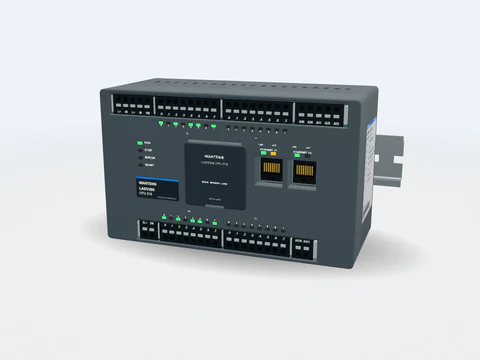
  • LADV PLC in the PLC lab, shown in 3DLADV PLCThe small computer that reads the inputs, runs your program and switches the outputs.OpensPulls apart
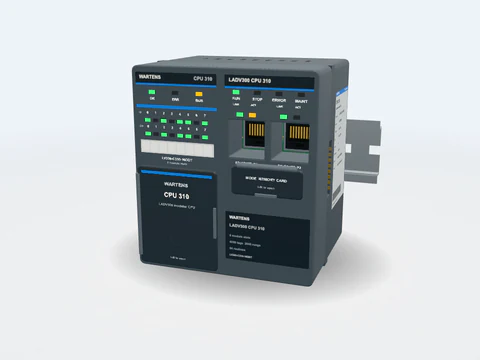
  • LADV300 CPU 310 in the PLC lab, shown in 3DLADV300 CPU 310A modular PLC: a CPU on a rail with I/O modules you choose.OpensPulls apart
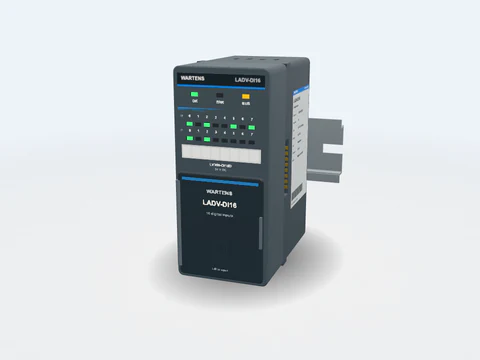
  • LADV-DI16 in the PLC lab, shown in 3DLADV-DI16A plug-in module with 16 digital inputs for a LADV300 rack.OpensPulls apart
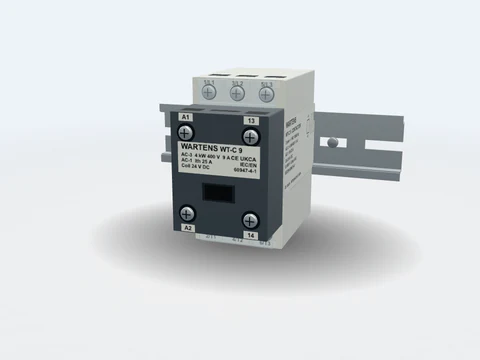
  • Contactor in the PLC lab, shown in 3DContactorA relay for big loads: a small coil current switches a large motor current.OpensPulls apart
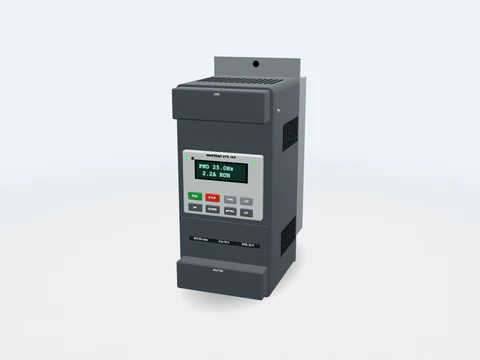
  • Variable frequency drive in the PLC lab, shown in 3DVariable frequency driveChanges the supply frequency to set the speed of an AC motor.OpensPulls apart
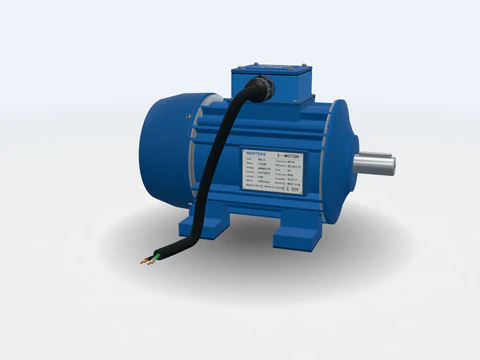
  • Three-phase motor in the PLC lab, shown in 3DThree-phase motorTurns three-phase mains into shaft rotation.OpensPulls apart
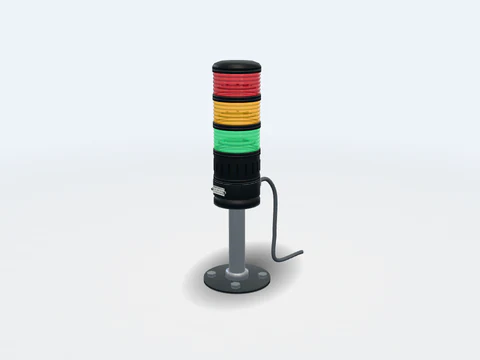
  • Signal tower in the PLC lab, shown in 3DSignal towerA column of coloured lights that shows the machine's state from a distance.OpensPulls apart
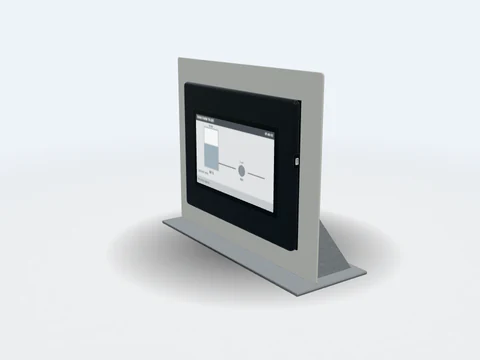
  • HMI operator screen in the PLC lab, shown in 3DHMI operator screenThe touchscreen the operator uses to see and change the process.Opens
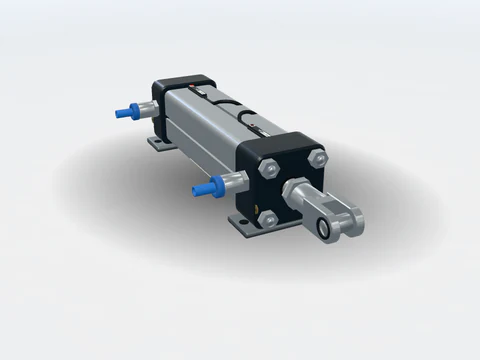
  • Pneumatic cylinder in the PLC lab, shown in 3DPneumatic cylinderPushes and pulls with compressed air.Pulls apart
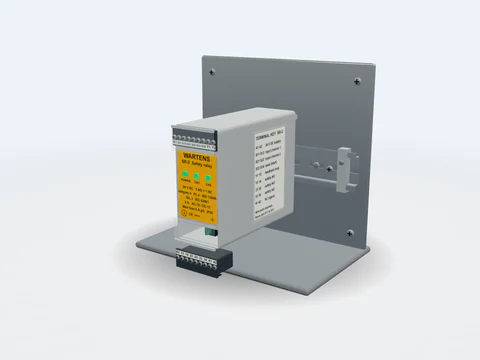
  • Safety relay in the PLC lab, shown in 3DSafety relayWatches the safety devices and cuts the power if any of them, or the relay itself, is faulty.OpensPulls apart
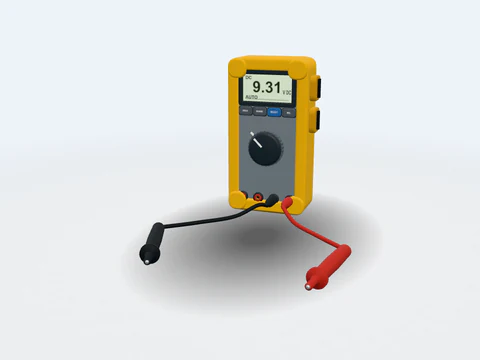
  • Multimeter in the PLC lab, shown in 3DMultimeterMeasures volts, resistance, continuity and current, and shows a number.Opens

and 335 more in the library.

Open the lab with its equipment library

Ratings and reviews

What learners say

Ratings come from learners who saved work in this lab.

Ratings and reviews

4.3
31 ratings
523
43
31
20
14
  • Christian P. · Worked on 2 levels · 21 Nov 2026
    EDWartens team

    Thank you, Christian, and sorry the parcel sorter disappointed you. Timing the pusher to the parcel is tricky; if the level made it harder than it should, Report a bug in the lab lets you point us at it.

  • Nuwan A. · Passed 1 level · 20 Nov 2026
    EDWartens team

    Thank you, Nuwan, and congratulations on passing Motor start/stop. A seal-in that holds and a stop that always wins is where PLC work begins.

  • Georgios V. · Passed 1 level · 18 Nov 2026
    EDWartens team

    Thanks, Georgios. Start, seal-in, stop, E-stop and an overload trip make a proper first program, and you passed it.

  • Lameck K. · Passed 2 levels · 15 Nov 2026
    EDWartens team

    Thank you, Lameck. Counting each box once and stopping at the batch size sounds easy until the line backs up, so passing it is worth being pleased about.

  • Admire C. · Passed 1 level · 15 Nov 2026
    EDWartens team

    Thank you, Admire. The first PLC level is short, but its habits, fail-safe stops and an overload that stays tripped, last a whole career.

  • An interesting lab interface learning experience

    A learner · Worked on 1 level · 10 Nov 2026
    EDWartens team

    Thank you, we are glad the interface was interesting to learn. Motor start/stop is meant as a gentle first step into ladder logic, and the Start here tab in the Help panel walks you round the rest of the screen whenever you want it.

  • 10

    Victor F. · Passed 1 level · 9 Nov 2026
    EDWartens team

    Thank you, Victor, and well done on the forward/reverse conveyor. Keeping two contactors from ever closing together is one of the first interlocks worth getting right.

  • good lab

    I had to use chat gpt to understand i needed multiple networks

    Mark A. · Passed 1 level · 7 Nov 2026
    EDWartens team

    Thanks, Mark, and fair point. The motor and each lamp are separate outputs, so each usually gets its own rung (or network): one for the motor with its seal-in and stops, one for Run_Lamp and one for Fault_Lamp. The beginner example on the level calls the lamps outputs too, but it could say more plainly that they need rungs of their own, and we will look at that.

  • Not bad

    Musawandile S. · Worked on 1 level · 7 Nov 2026
    EDWartens team

    Thank you, Musawandile. "Not bad" with five stars is a fine review for a first PLC level. The next ones add timers and counters when you are ready.

  • Aw H. · Passed 4 levels · 6 Nov 2026
    EDWartens team

    Thanks for the five stars and for passing four levels. The batch counter is good PLC programming practice for counting each box once at the photo-eye, which turns up on almost every packing line.

Sign in free and save work in a level to add your own rating.

About the PLC lab

Program the machine. Watch it run.

EDWartens Lab is a free PLC simulator for students, apprentices and career changers. You write a program, press run, and a simulated machine answers it: a pump fills a tank, a conveyor carries parcels, a fan starts in star and changes to delta. Nothing to download and no PLC to buy.

Every PLC job starts with a client brief and an I/O list. Write the logic, download it, press RUN and a plant answers: a pump fills a tank, a conveyor carries parcels, a fan starts in star and changes to delta.

  • Ladder, Structured Text and Sequential Function Chart, the IEC 61131-3 languages, in one studio
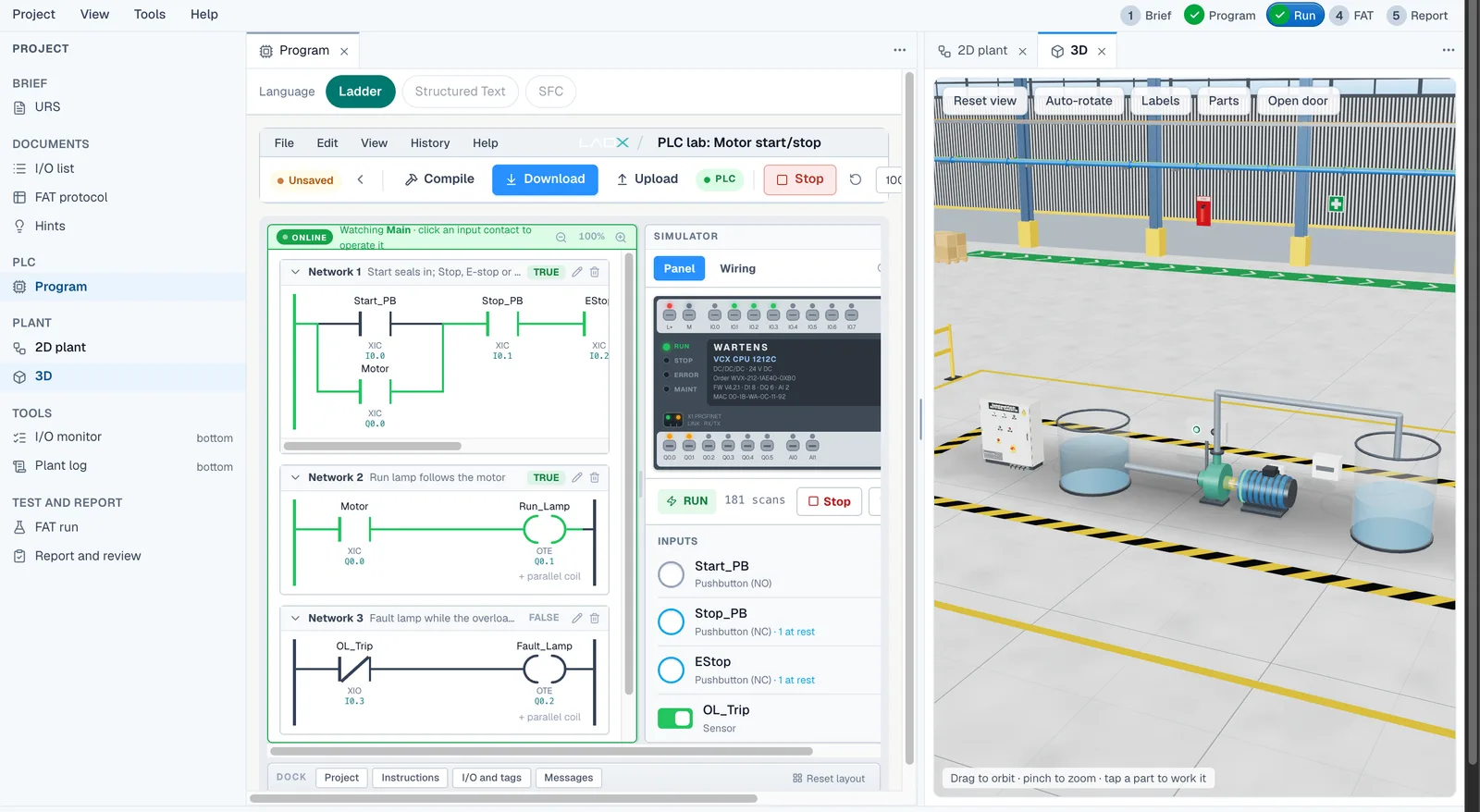
  • Energised rungs turn green as the program scans, so you see why a rung is true or false
  • An I/O list and tag table with Siemens-style addresses, so the skills carry over
  • Numbered tests run against your program, with numbers drawn per learner

Tools in this lab

  • Ladder, Structured Text and SFC in one studio
  • A plant that answers: motors, tanks, conveyors
  • Numbered tests mark your program
PLC lab with the ladder editor showing energised green rungs beside the live PLC simulator and the I/O list
Ladder logic running next to the simulator

The guide

What to know before you start

Short answers first. Open a card for the rest.

What the PLC simulator does

Most online PLC simulators give you a ladder editor and a few lamps. This one gives you a job. Each PLC lab opens with a client brief, an I/O list and a plant model that runs in step with your program. You write the logic, watch the rungs energise, and see the machine respond in a 3D view beside the editor.

Read more

The programming languages are the IEC 61131-3 ones: ladder logic, Structured Text and Sequential Function Chart. They sit in the same studio, so you can try the same job in more than one language. The tag addressing is Siemens-style, which is familiar if you later move to a Siemens, Allen-Bradley or CODESYS environment, although the lab does not require any of them.

23 levels, from wiring to fault finding

The PLC lab has 23 levels, from wiring a PLC to timed sequences, two-pump control, analogue signals, recipes and fault finding. It opens with four wiring levels: power the PLC, wire its inputs, wire its outputs, then program it and prove it. Then come the machines: motor start/stop with overload, a forward/reverse conveyor, a star-delta fan starter, a batch counter on a packing line, a tank filling pump, a pedestrian crossing (a traffic light PLC program), a parcel sorter, duty and standby pumps, and a tank level scaled from a 4-20 mA transmitter.

Read more

The later levels are conveyor jam detection, a reusable motor block, a filling sequence, a packaging line drive, a safety gate interlock, an air handling unit temperature loop, a palletiser, a batch mixer with recipes, a bottling line, and a fault-finding challenge in which a colleague's program fails six tests. All of them are listed in order, with what each one teaches, on the PLC programming exercises page.

Each one ends in a numbered factory acceptance test (FAT) that runs automatically against your program, so you know when the machine really works and not just when the rungs look right. The numbers the tests use are drawn per learner, which stops a program that only fits one answer.

Free, with a free account

Opening the lab, programming the machines and passing the FAT are free, and you can start without an account. A free EDWartens account records your results and keeps your work on every device. Optional extras, such as an engineer review of your FAT report, are paid. The lab is in beta, so expect it to grow. It works in a desktop or mobile browser, and a laptop gives the best view of the 3D hall. Once it has loaded it also works offline.

How it compares with other ways to practise

Desktop simulators such as vendor software, CODESYS or OpenPLC are excellent once you have chosen a platform, but they need an install and they give you a blank editor. Browser tools such as PLC Fiddle are quick for a single rung. EDWartens Lab sits in between: it runs in the browser, and the practice is built around realistic plant behaviour, acceptance tests and the electrical side of the job.
How it works

  1. Create a free EDWartens account, or sign in if you already have one.
  2. Open a PLC lab from the catalogue and read the client brief and I/O list.
  3. Write the program in ladder, Structured Text or SFC and press run.
  4. Watch the plant model respond, then fix what it shows you.
  5. Run the factory acceptance test and download the FAT report when you pass.

Where it leads

Where it leads

Job simulations and internships are training, not employment.

Used in these job simulations

Feeds these internships

Trains you for

PLC programmer, Controls engineer.

Questions

Questions people ask.

Is there a free PLC simulator online?

Yes. EDWartens Lab is a free PLC simulator that runs in your browser. You can start without an account; a free EDWartens account records your results. You can write ladder, Structured Text or SFC programs and test them on simulated machines with an automatic acceptance test.

Do I need to download anything to use a PLC simulator?

No. The lab runs entirely in a web browser, with its own PLC engine and editor. There is nothing to install, no licence key and no hardware. Once it has loaded it also keeps working offline.

Can I use a PLC simulator on a phone or Mac?

Yes, because it runs in the browser. It works in the browser on Windows, Mac and Linux computers and on phones. The ladder editor works on a phone, but a laptop gives a better view of the 3D factory hall and the panel.

Which PLC brand does the simulator copy?

None. The lab has its own PLC engine with Siemens-style addressing. The ideas you practise, such as seal-in logic, timers, counters and sequences, carry over to any brand, but the lab is not a copy of one manufacturer's software.

Keep exploring

Other labs and guides

Updated 24 Nov 2026.

Other labs

  • Electrical labLock out, wire, test and fault-find a control panel, then prove it with a factory acceptance test.
  • Robotics labTeach a robot arm a pick and place job and prove its handshake with the PLC.
  • Process labRead the P&ID, check and calibrate instruments, tune loops and run a plant from a control room.
  • Maintenance labKeep a small plant running: find faults with real instruments, fix them safely and record the work in a CMMS.
  • Substation and MCC labWalk a small substation, isolate a motor bucket safely, grade a relay and fault-find a motor control centre.
  • Solar and EV labSize a solar array, set a battery and fault-find an EV charger on a commercial site.
  • AI Basics labLearn what AI is by playing with it: teach a camera, watch a model learn, test it and check it is fair.
  • AI WorkbenchPrepare data, train a model and check the AI's work against a brief.
  • AI Data Centre labWalk an AI data hall, rack and cable a GPU server, and size its power and cooling.
  • OT security labMap a plant network, split it into zones, write the firewall rules, read the logs and run the response drill.

Start the PLC lab now.

Free, in your browser, with nothing to install.